





Доверенность по месту жительства - горячая штучка.
Гуманизированное ползание, без защиты IP.Наслаждайтесь 90M реальных ip-адресов от 220+ мест
 2025-04-21 17:50:52 обновля
 14087 провер
 5 mинутное чтение.
Step 1: Obtain the proxy in the Get Proxy of Dashboard and export it (taking Residential Proxies as an example).
Step 2:Search for the Swtichyomega extension in Chrome and install it into your Chrome.
Step 3:Open the Swtichyomega,click the New profile to create a server.
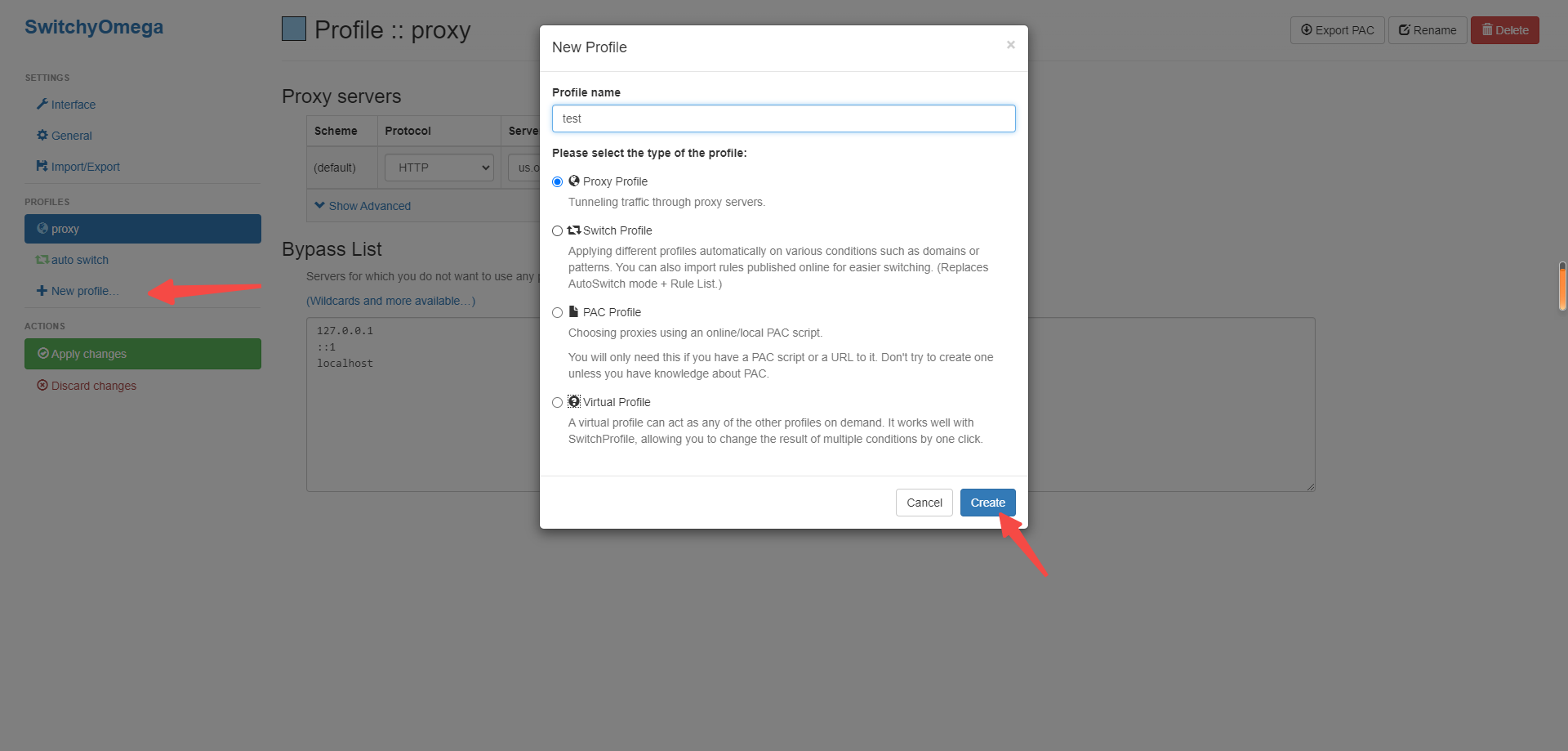
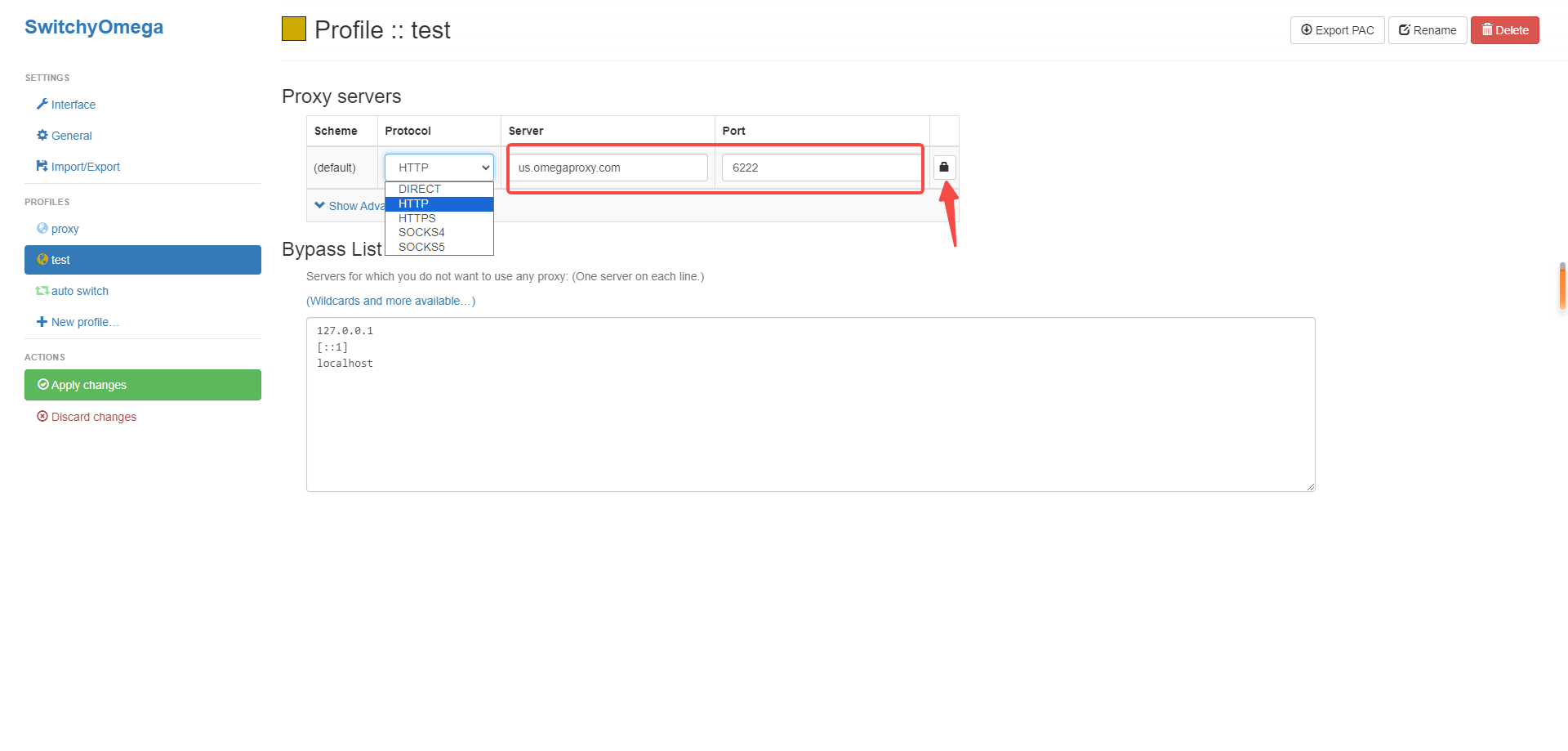
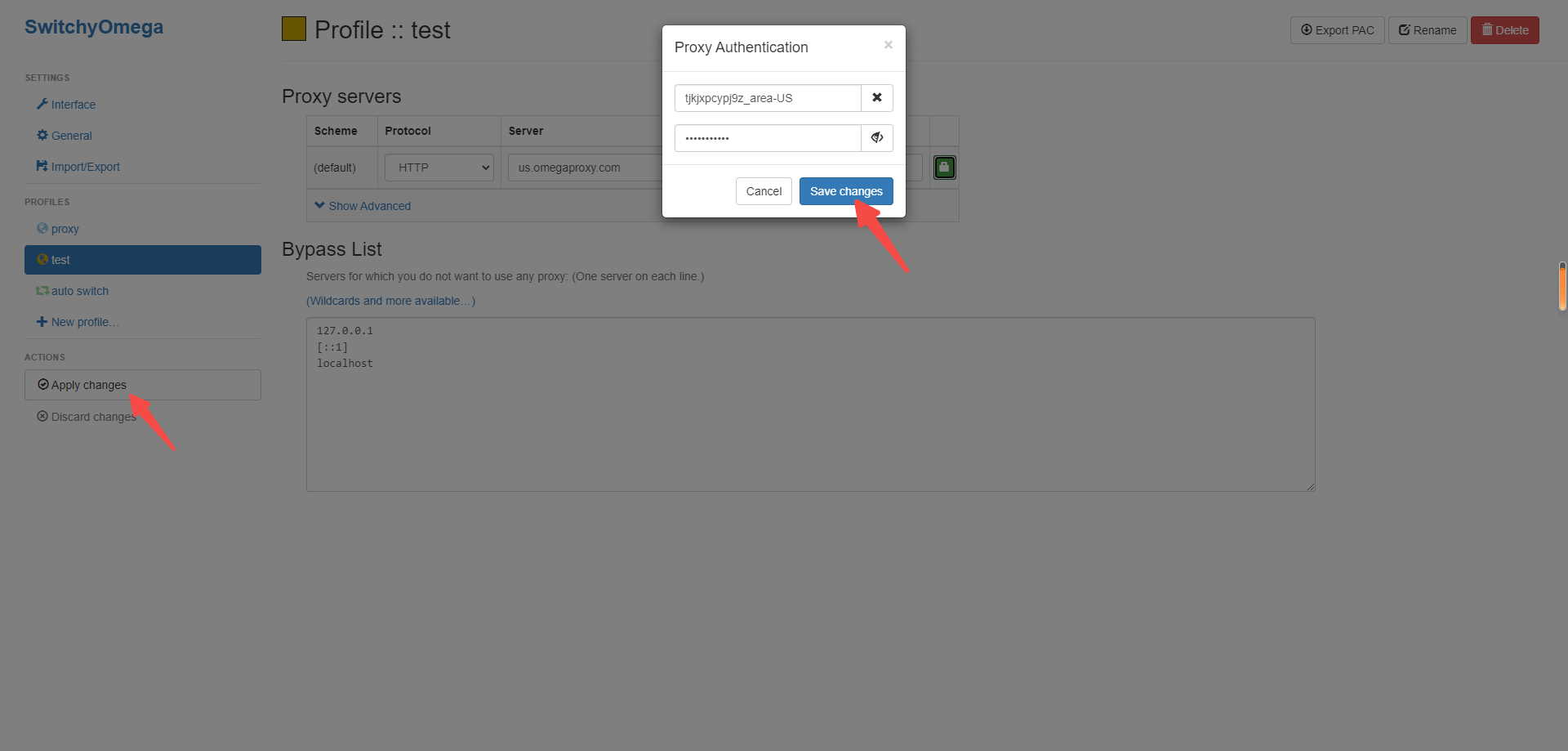
Step 4:Select HTTP or Socks5 as the Protocol,enter the obtained proxy information.Save changes and apply changes.
Step 5:Then you can click the Chrome Extensions and open the Swtichyomega.
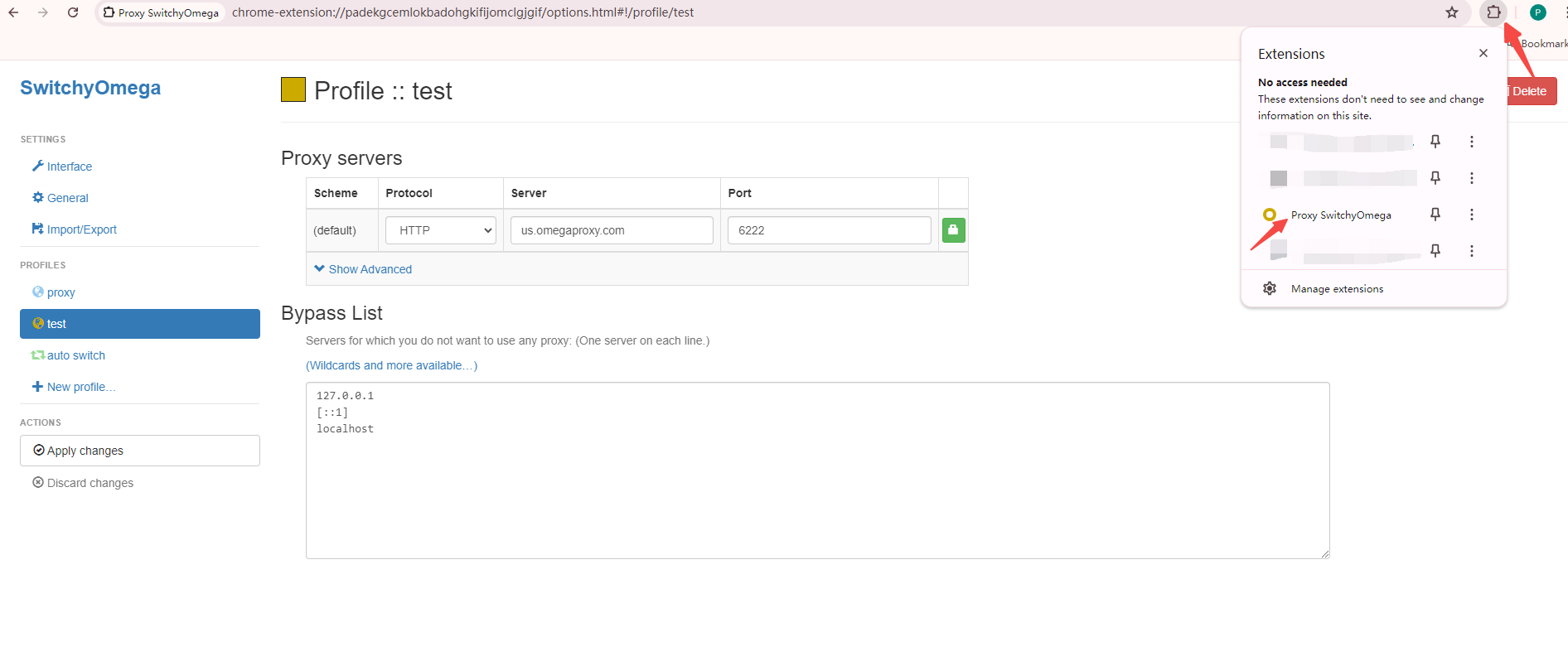
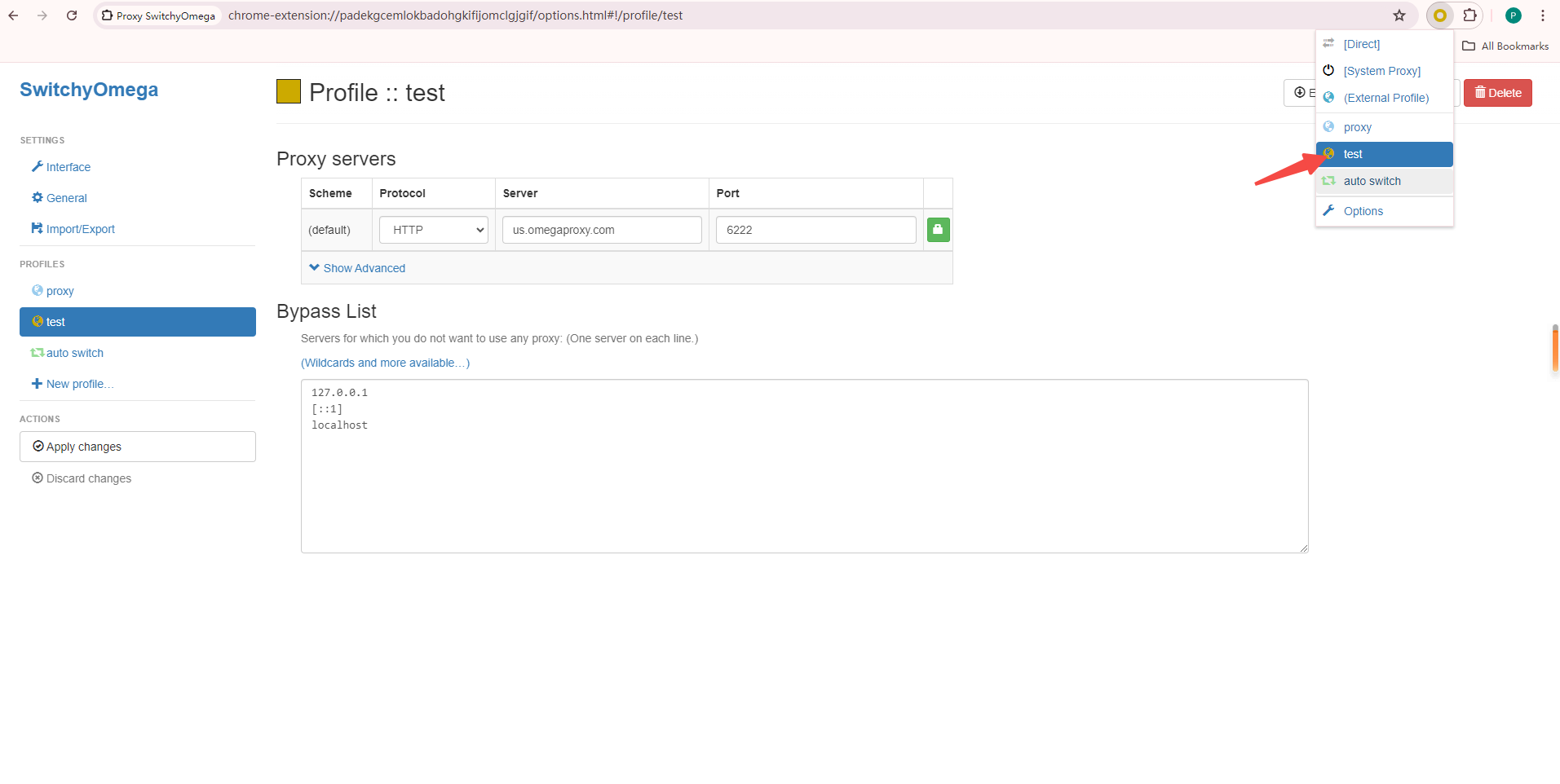
Step 6:Browser this site:api.ip.cc,If you local IP changes, it means the configuration is successful.

Collect Web Data Easily with OmegaProxy Residential Proxies

Один из лучших доверенных лиц.Во всем мире насчитывается более 90 миллионов пи.Выберите IP адрес из любой страны или города.






