





आवासीय प्रॉक्सी गरम
गरममानवीय रेंगने, कोई आईपी परिरक्षण.220+ स्थानों से 90M असली आईपीएस का आनंद लें
 2025-04-21 17:50:52 updated
 14089 देखें
 5 मिनट पढ़ना
Step 1: Obtain the proxy in the Get Proxy of Dashboard and export it (taking Residential Proxies as an example).
Step 2:Search for the Swtichyomega extension in Chrome and install it into your Chrome.
Step 3:Open the Swtichyomega,click the New profile to create a server.
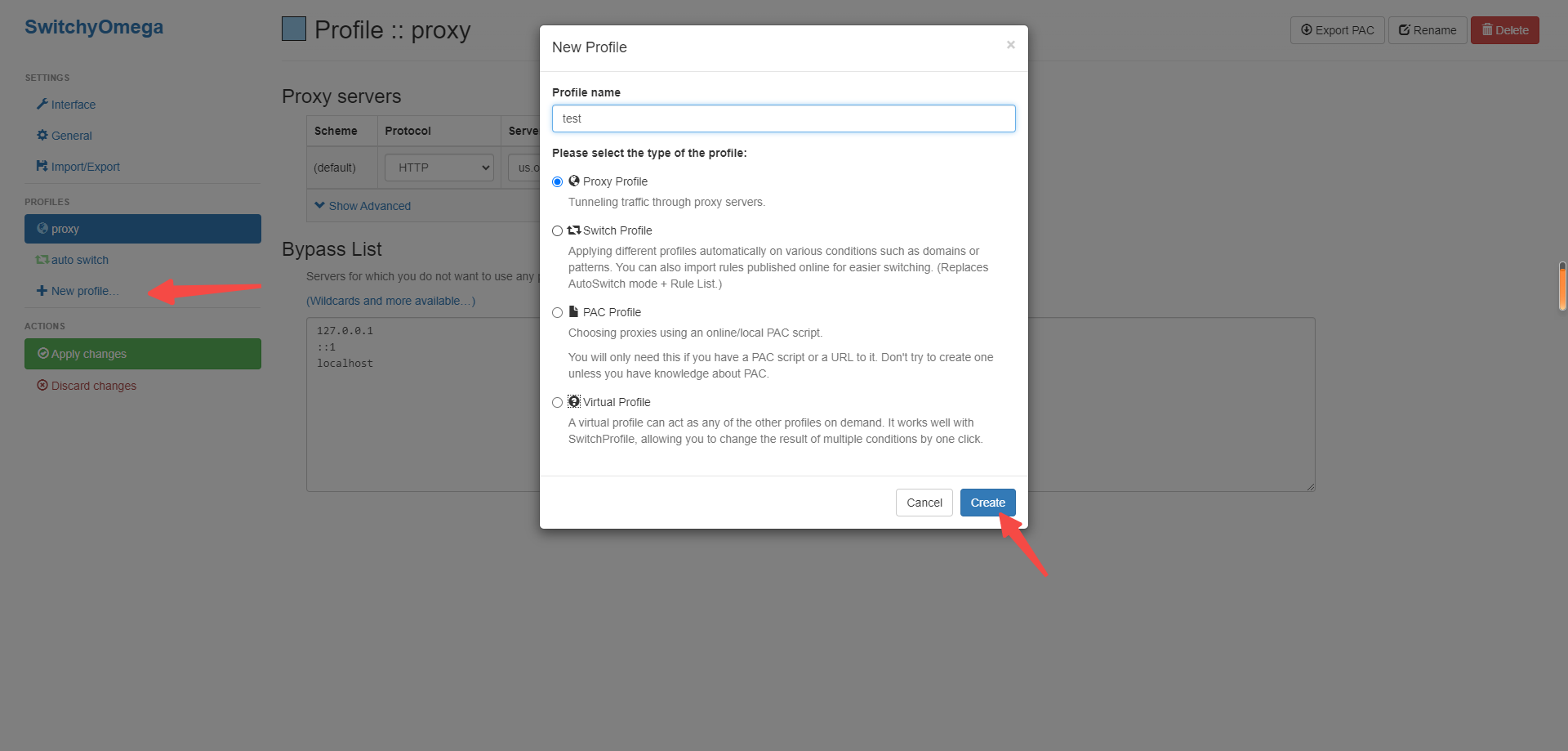
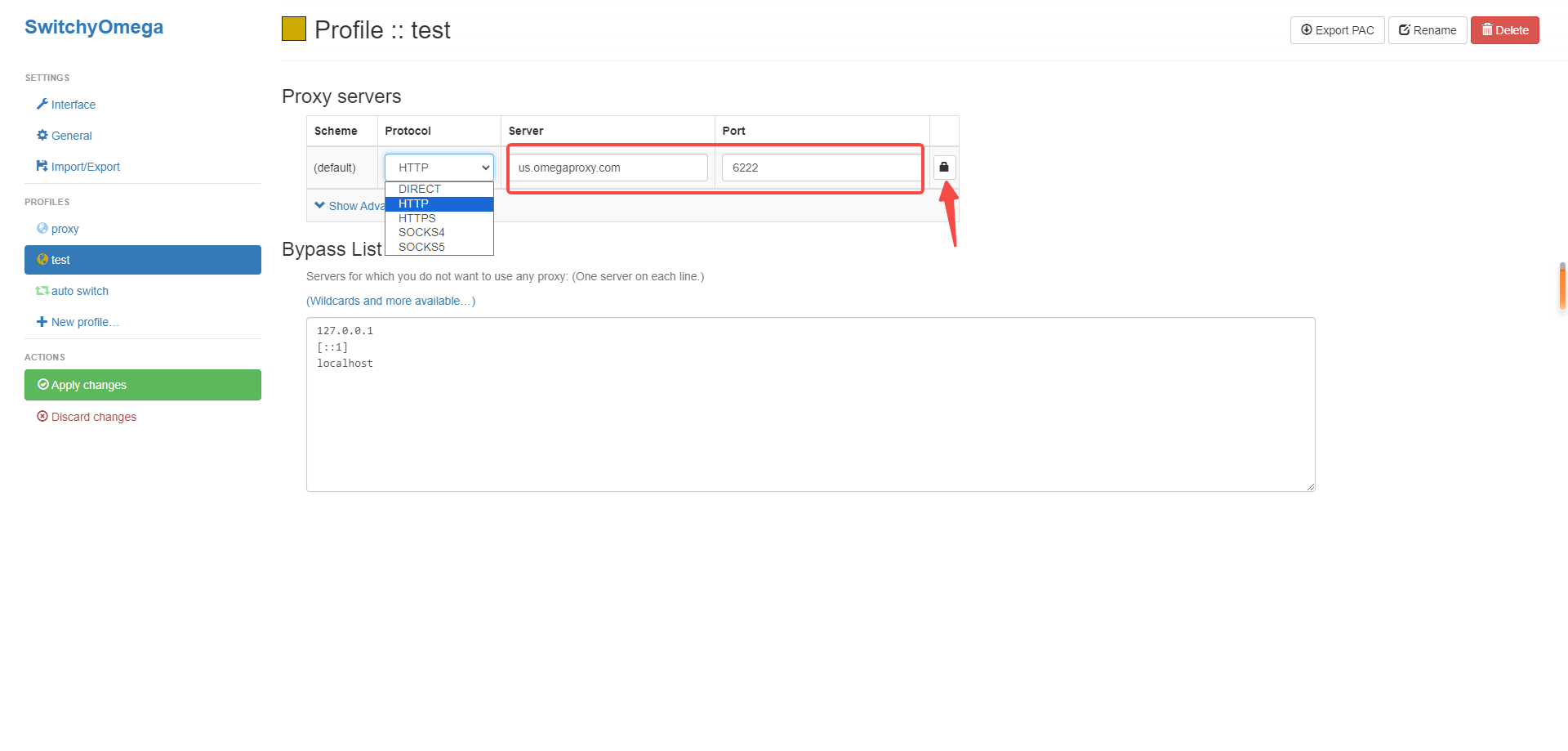
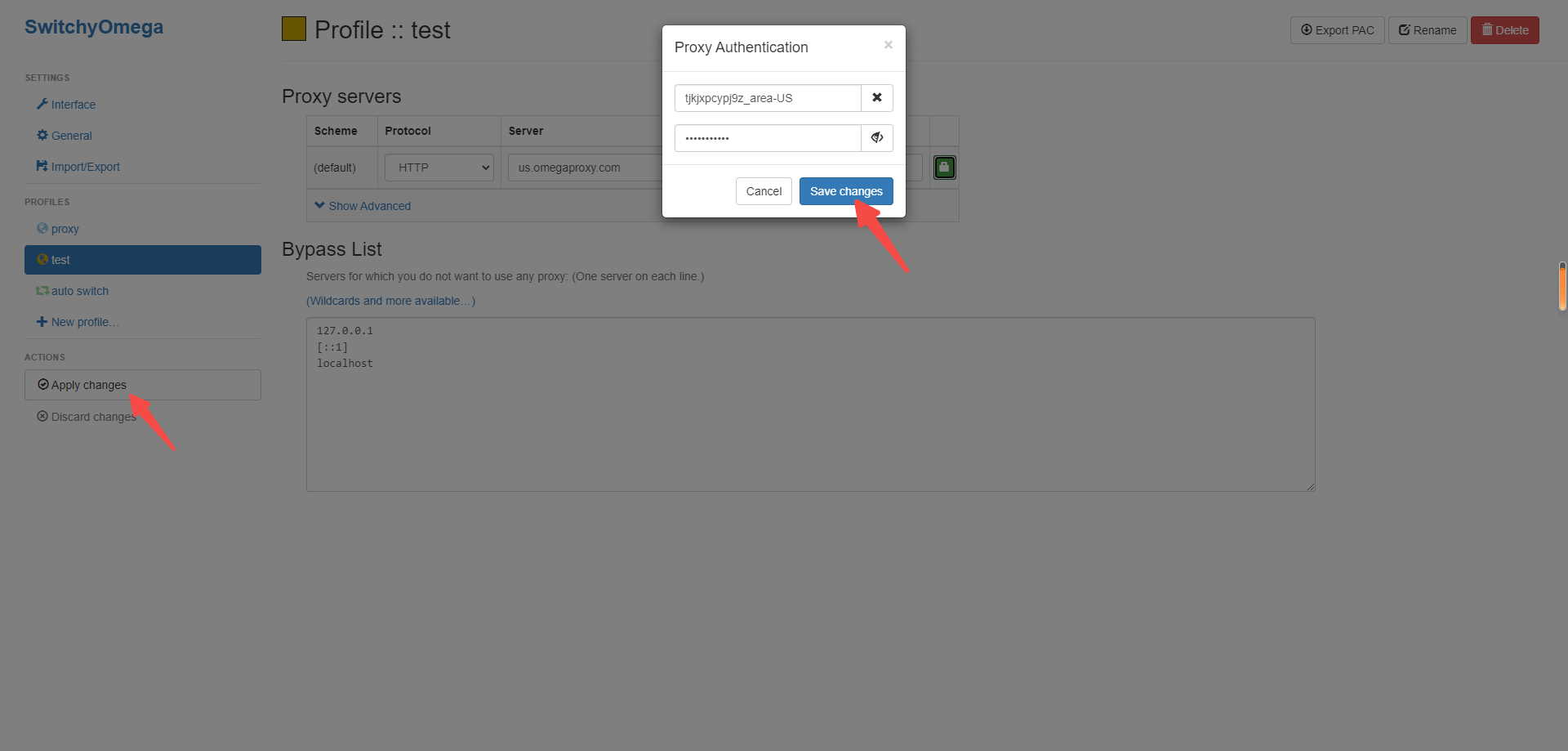
Step 4:Select HTTP or Socks5 as the Protocol,enter the obtained proxy information.Save changes and apply changes.
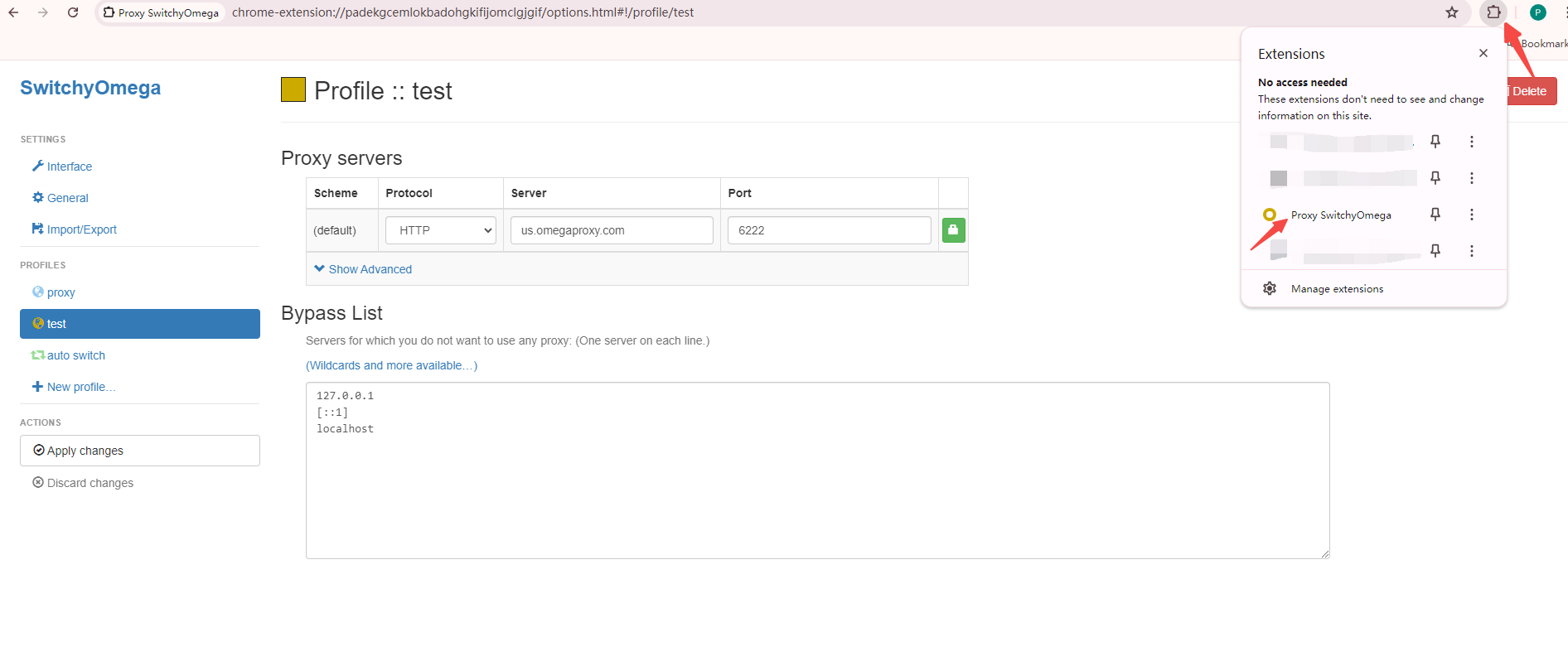
Step 5:Then you can click the Chrome Extensions and open the Swtichyomega.
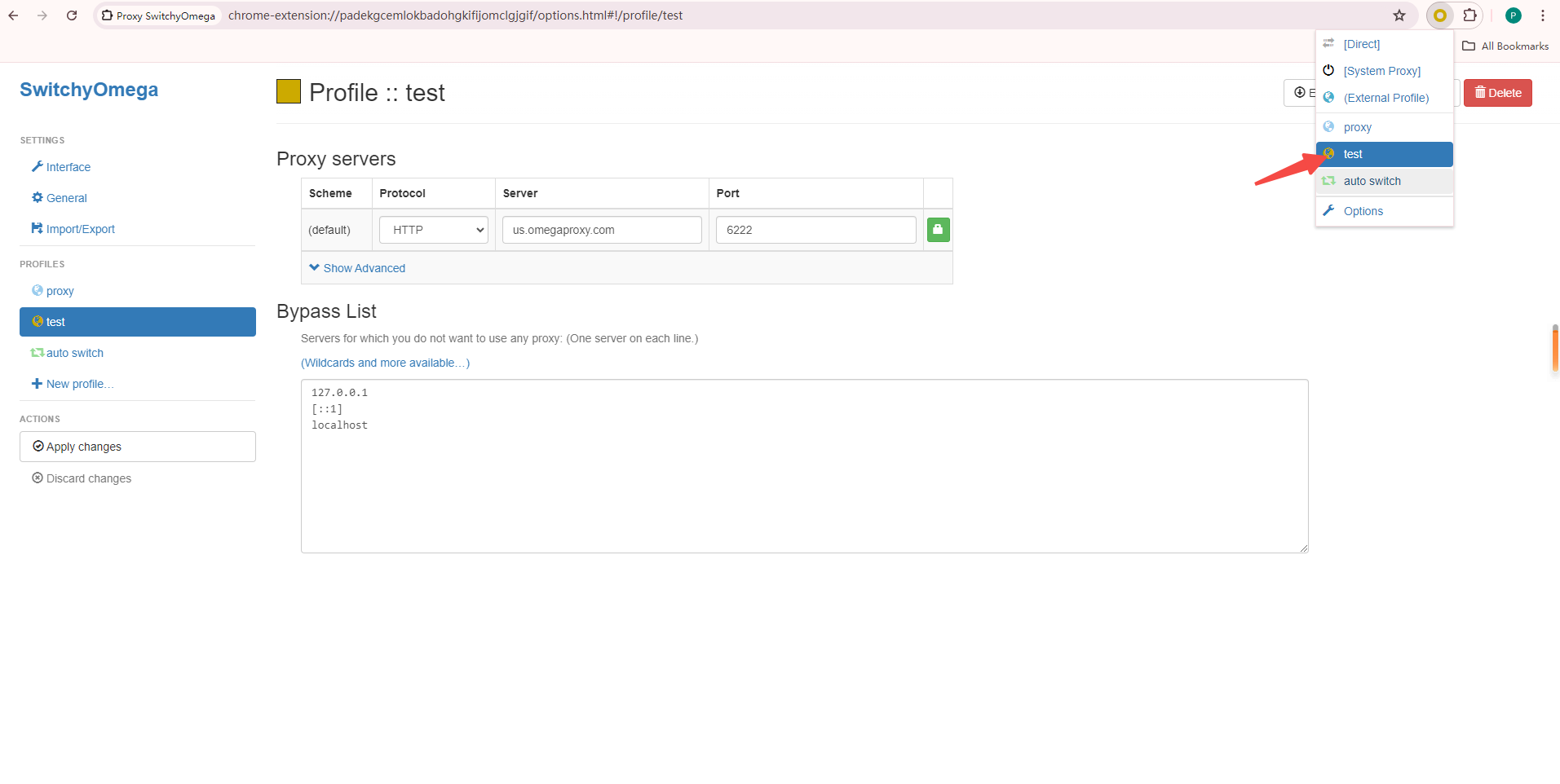
Step 6:Browser this site:api.ip.cc,If you local IP changes, it means the configuration is successful.

Collect Web Data Easily with OmegaProxy Residential Proxies

सर्वश्रेष्ठ एजेंटों में से एकविश्व भर में 90 मिलियन से अधिक बीमाकृत व्यक्ति सक्रिय हैं।किसी भी देश या शहर के लिए एक आईपी पता चुनें





