





Ein private-service heiß
heißSie tötet menschen ohne ip-deckung. Und nutzt 90 millionen wahre ip-adressen Von mehr als 220 standorten
 2025-04-21 17:50:52 Aktualisiert.
 14084 Ich kontrolliere sie.
 5 Minuten. Lesen.
Step 1: Obtain the proxy in the Get Proxy of Dashboard and export it (taking Residential Proxies as an example).
Step 2:Search for the Swtichyomega extension in Chrome and install it into your Chrome.
Step 3:Open the Swtichyomega,click the New profile to create a server.
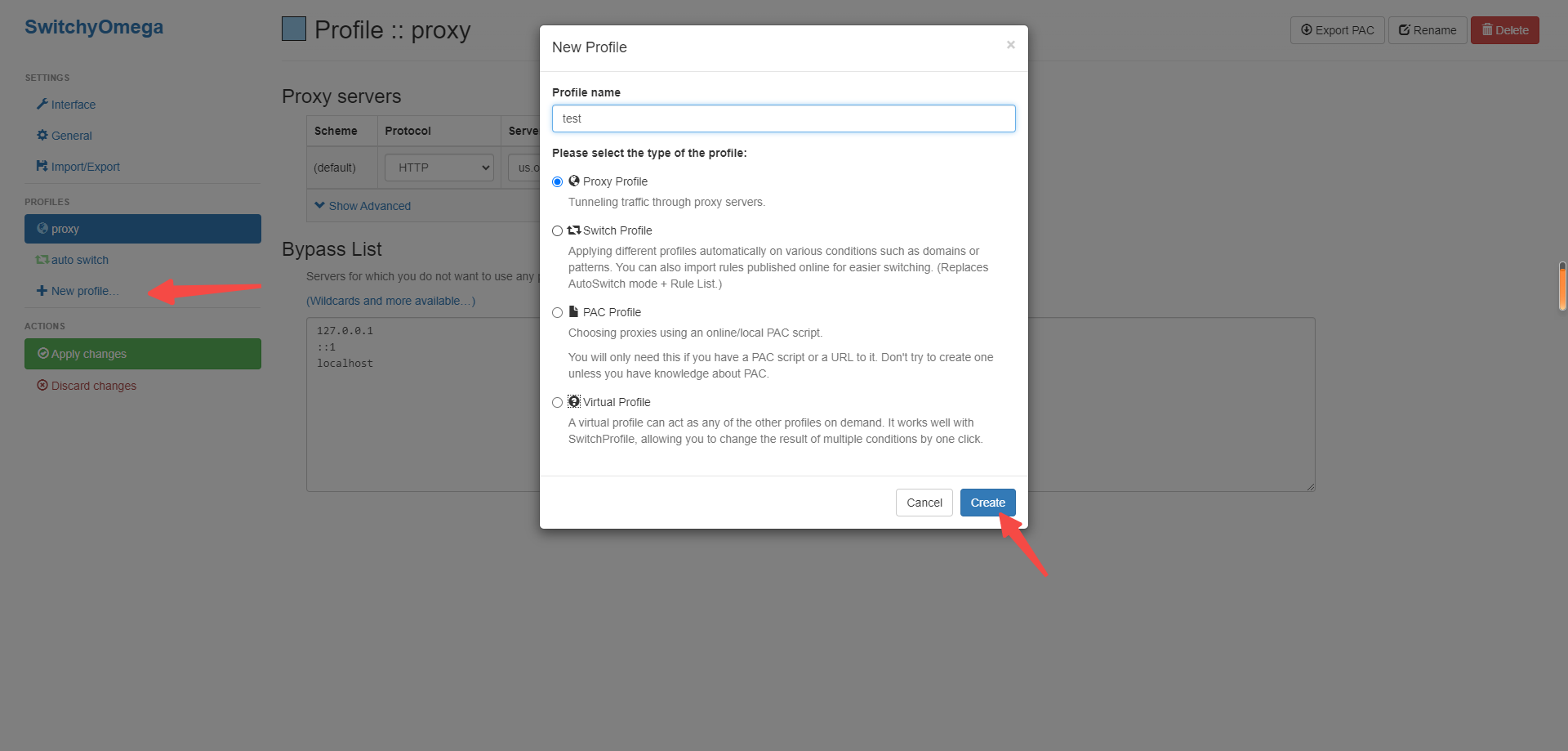
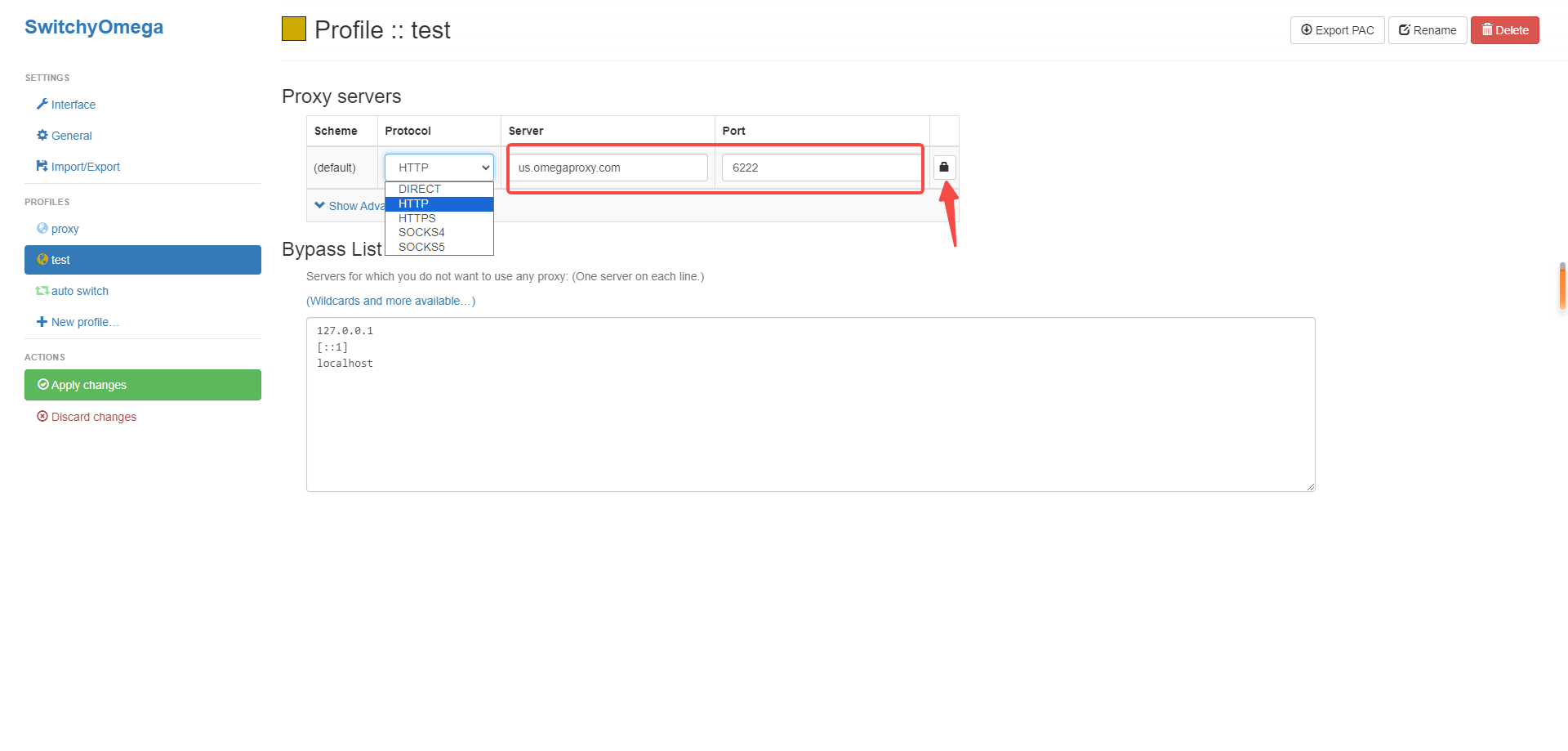
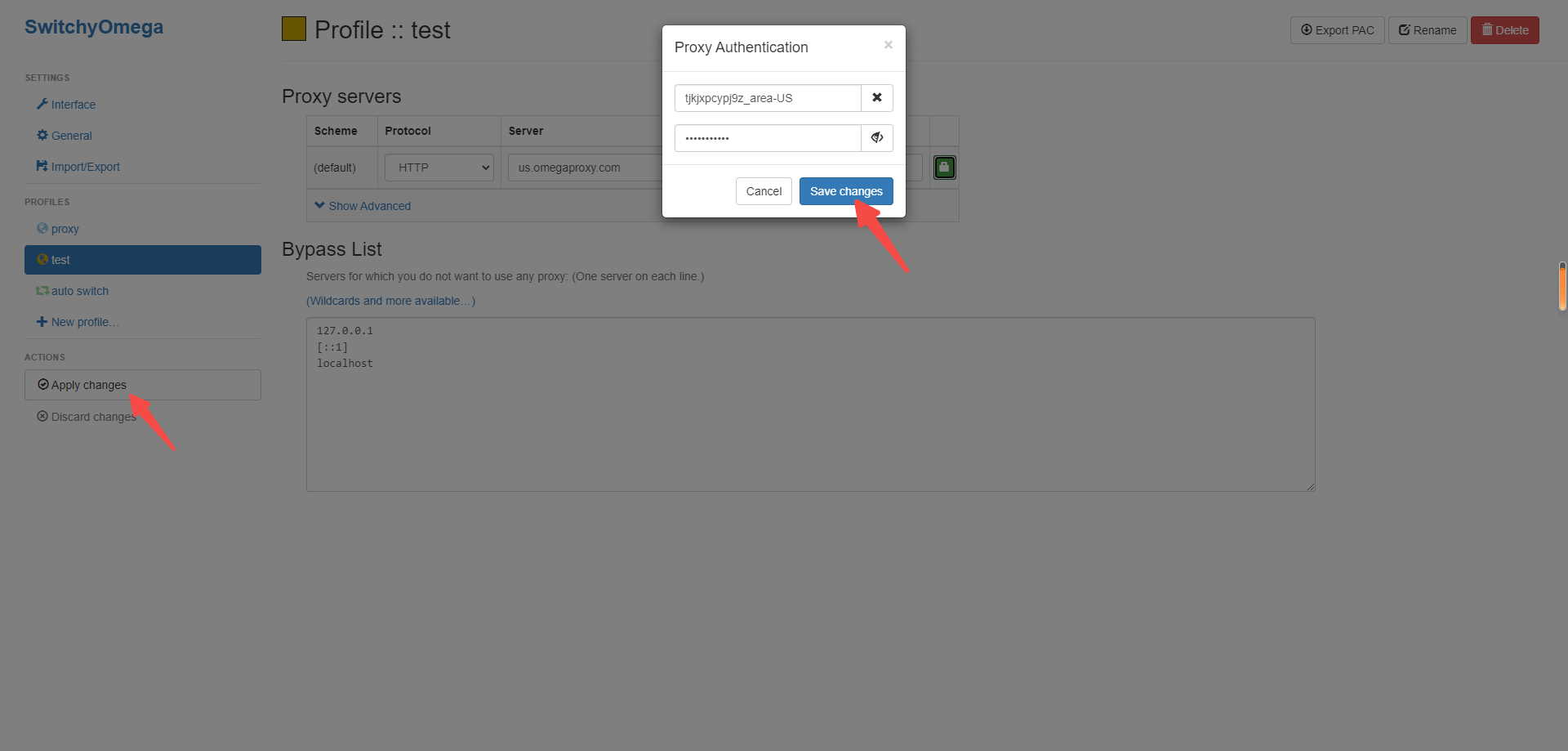
Step 4:Select HTTP or Socks5 as the Protocol,enter the obtained proxy information.Save changes and apply changes.
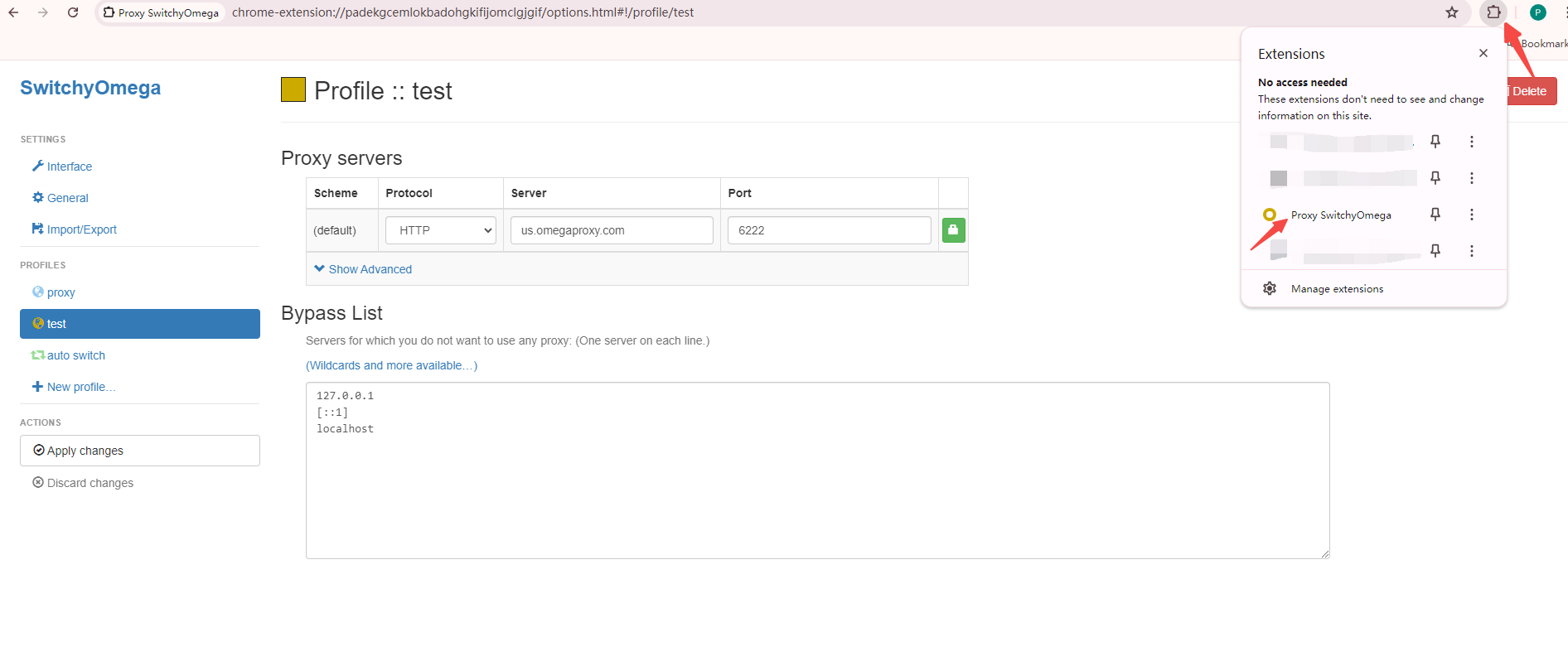
Step 5:Then you can click the Chrome Extensions and open the Swtichyomega.
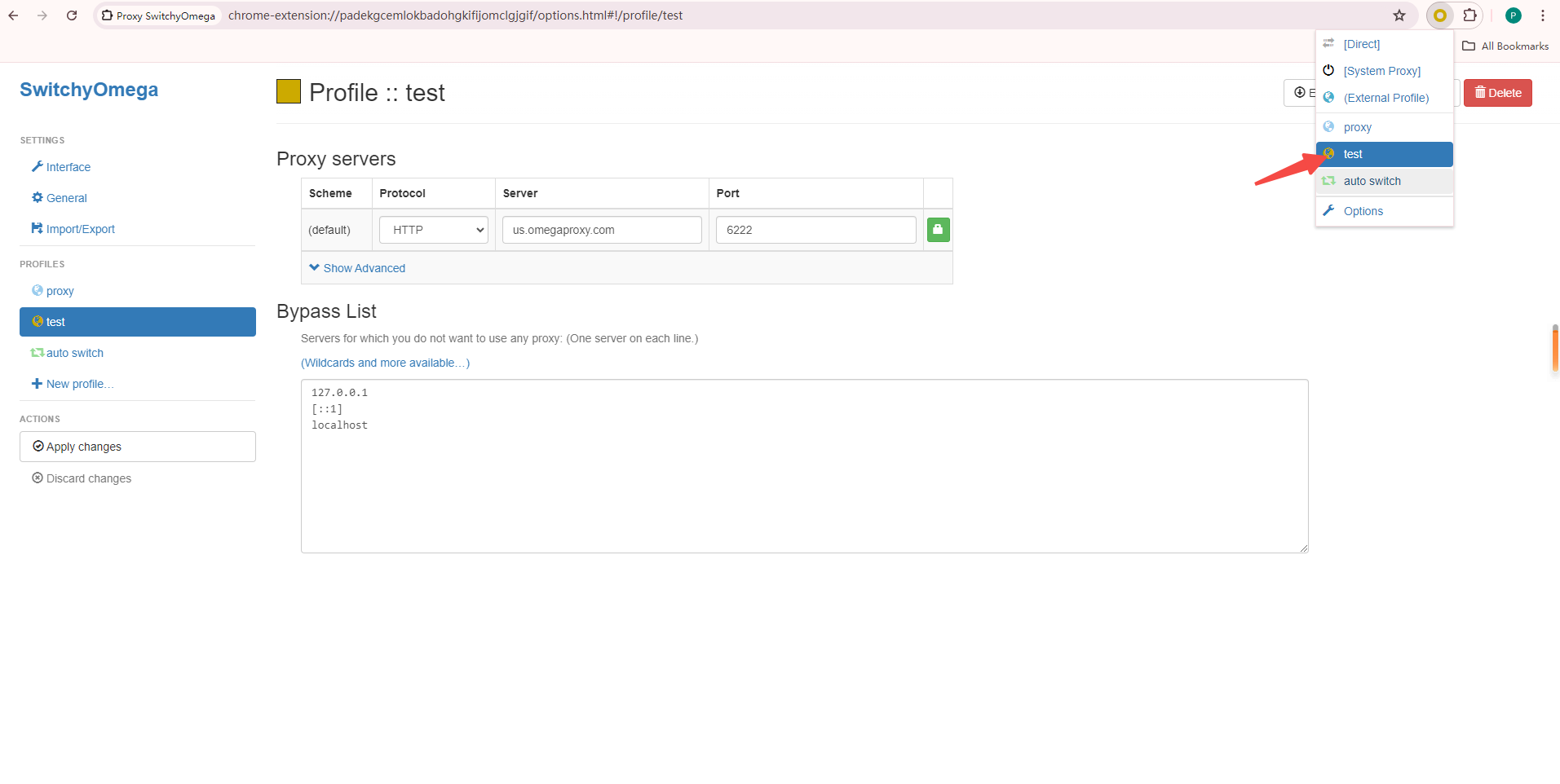
Step 6:Browser this site:api.ip.cc,If you local IP changes, it means the configuration is successful.

Collect Web Data Easily with OmegaProxy Residential Proxies

Du bist einer der besten agents. Über 90 millionen igm-anschlüsse weltweit. Wählen sie die ip-adresse eines beliebigen landes Oder einer stadt






