





Proxy perumahan panas
panasMerangkak secara manusiawi, tanpa perisai IP. Nikmati 90M real IPs dari 220+ lokasi
 2025-04-21 17:50:52 updated
 14086 memeriksa
 5 menit baca
Step 1: Obtain the proxy in the Get Proxy of Dashboard and export it (taking Residential Proxies as an example).
Step 2:Search for the Swtichyomega extension in Chrome and install it into your Chrome.
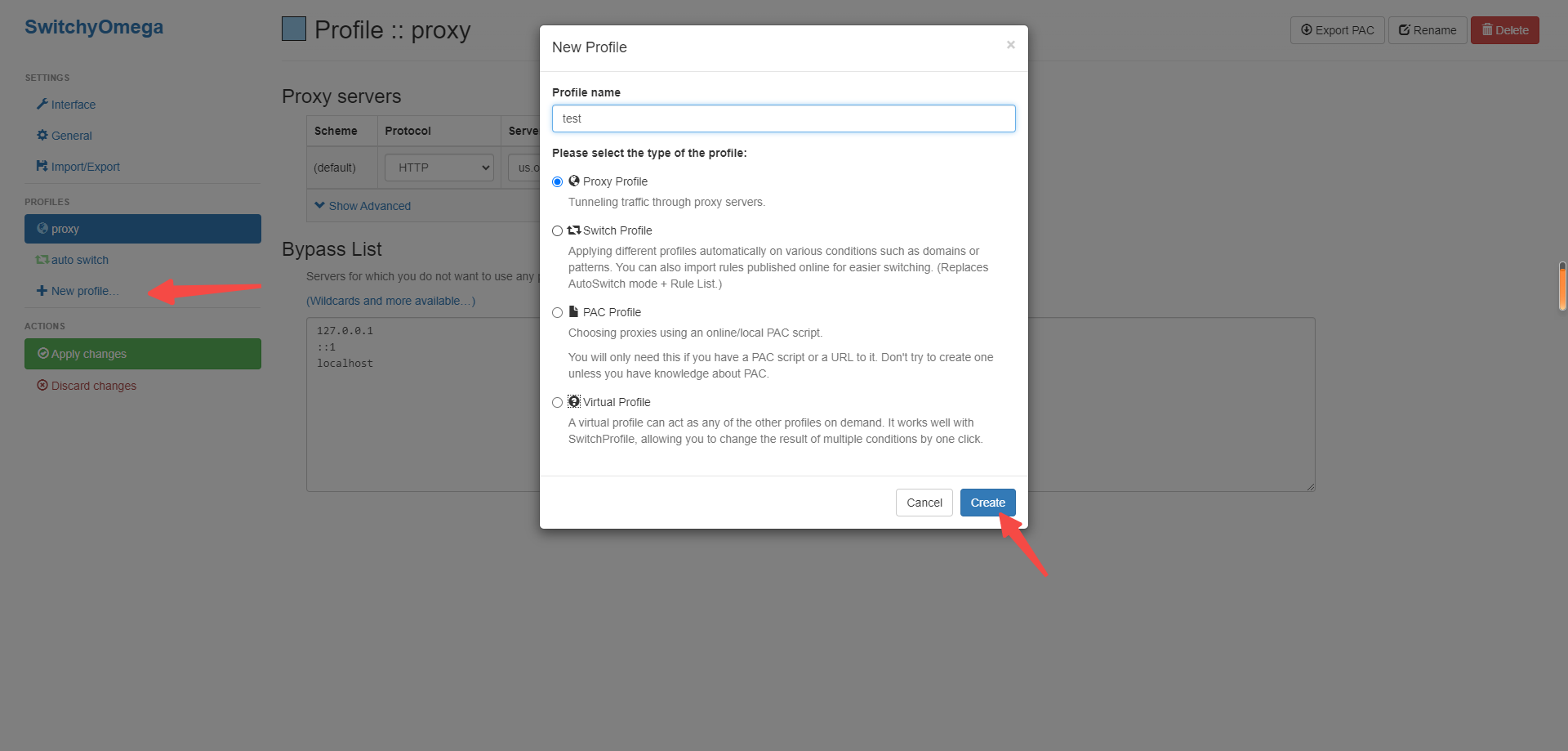
Step 3:Open the Swtichyomega,click the New profile to create a server.
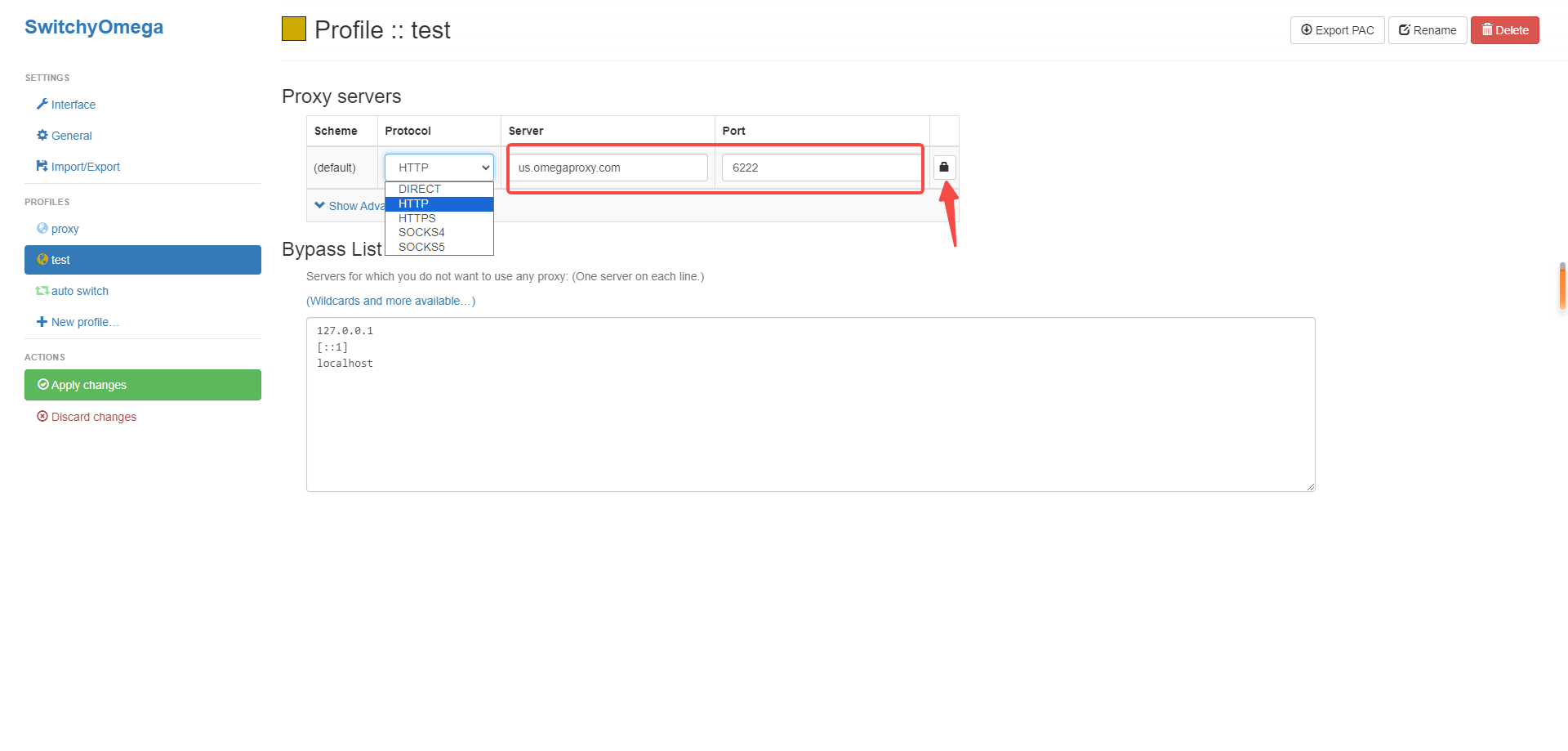
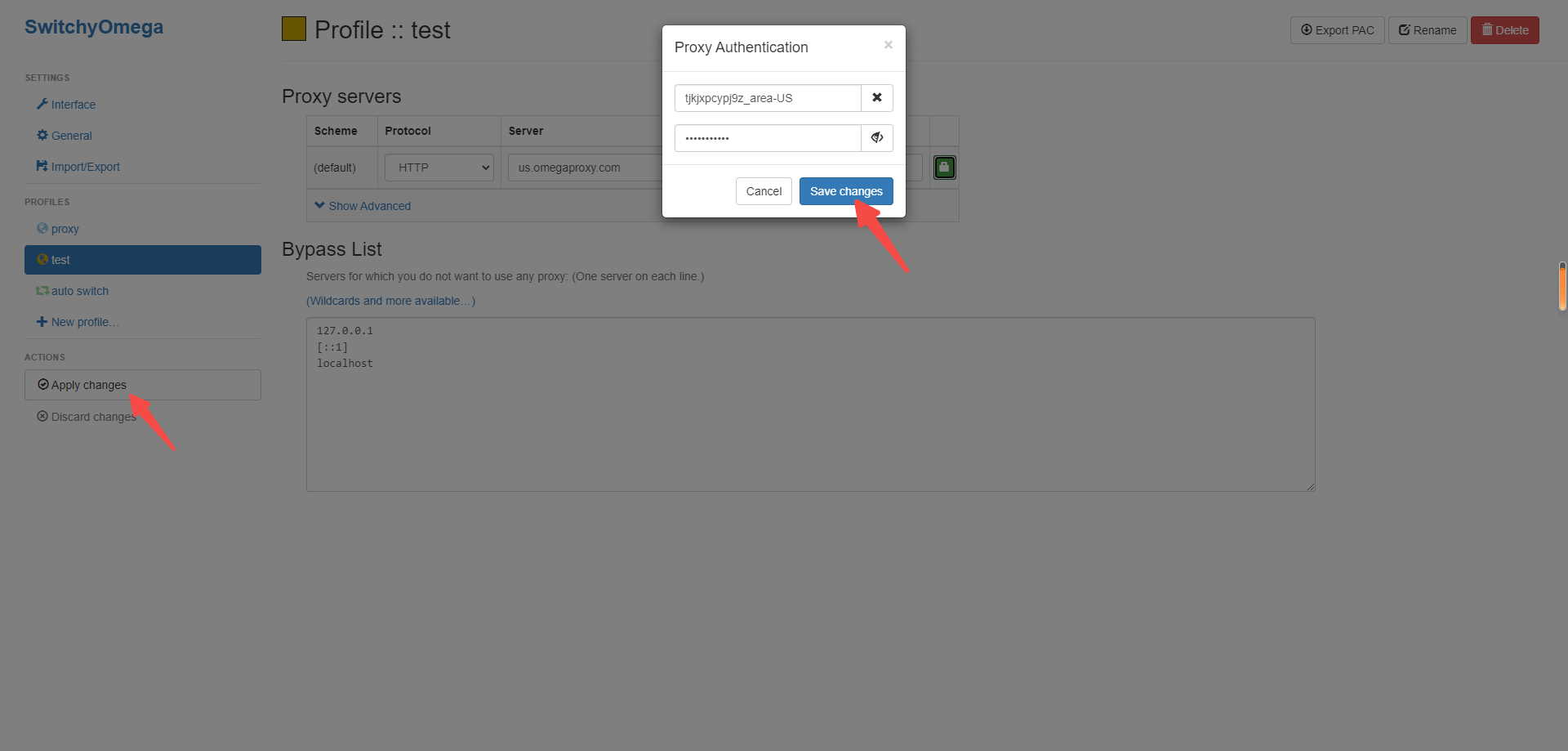
Step 4:Select HTTP or Socks5 as the Protocol,enter the obtained proxy information.Save changes and apply changes.
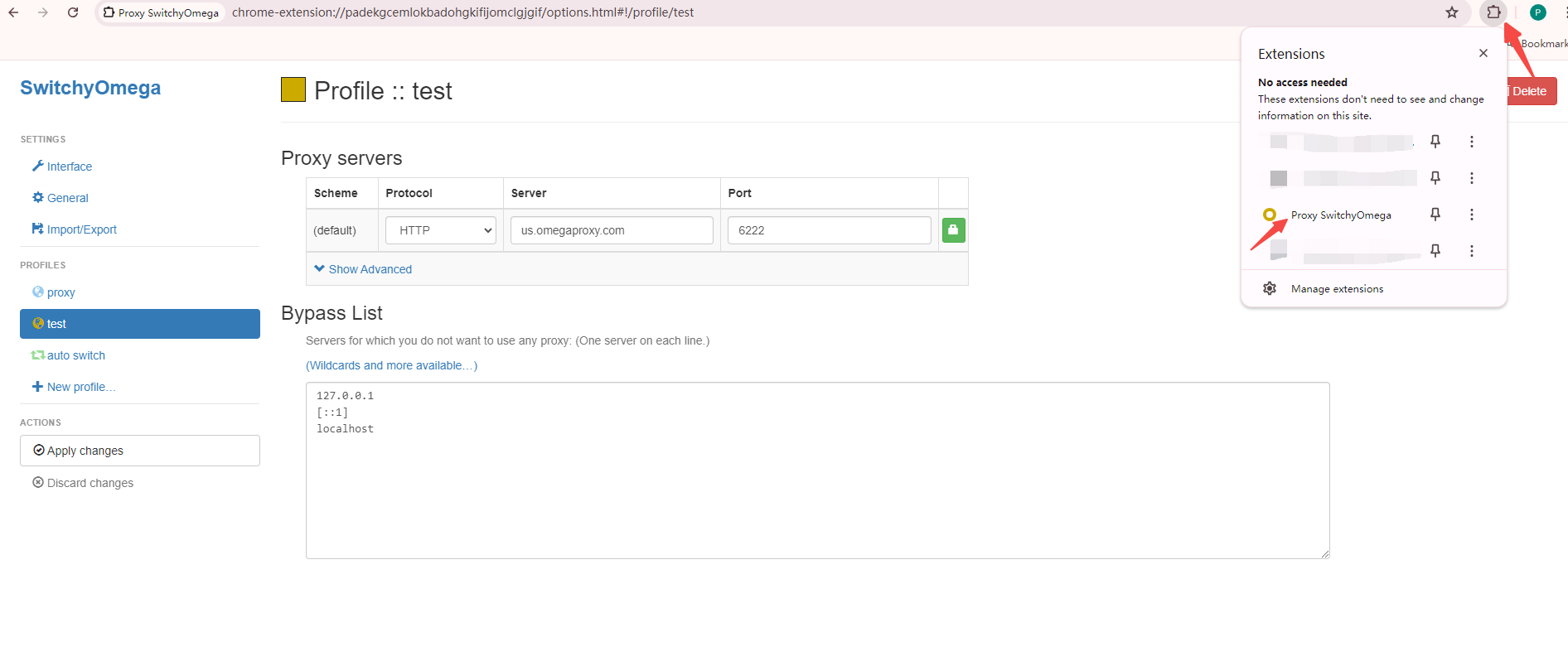
Step 5:Then you can click the Chrome Extensions and open the Swtichyomega.
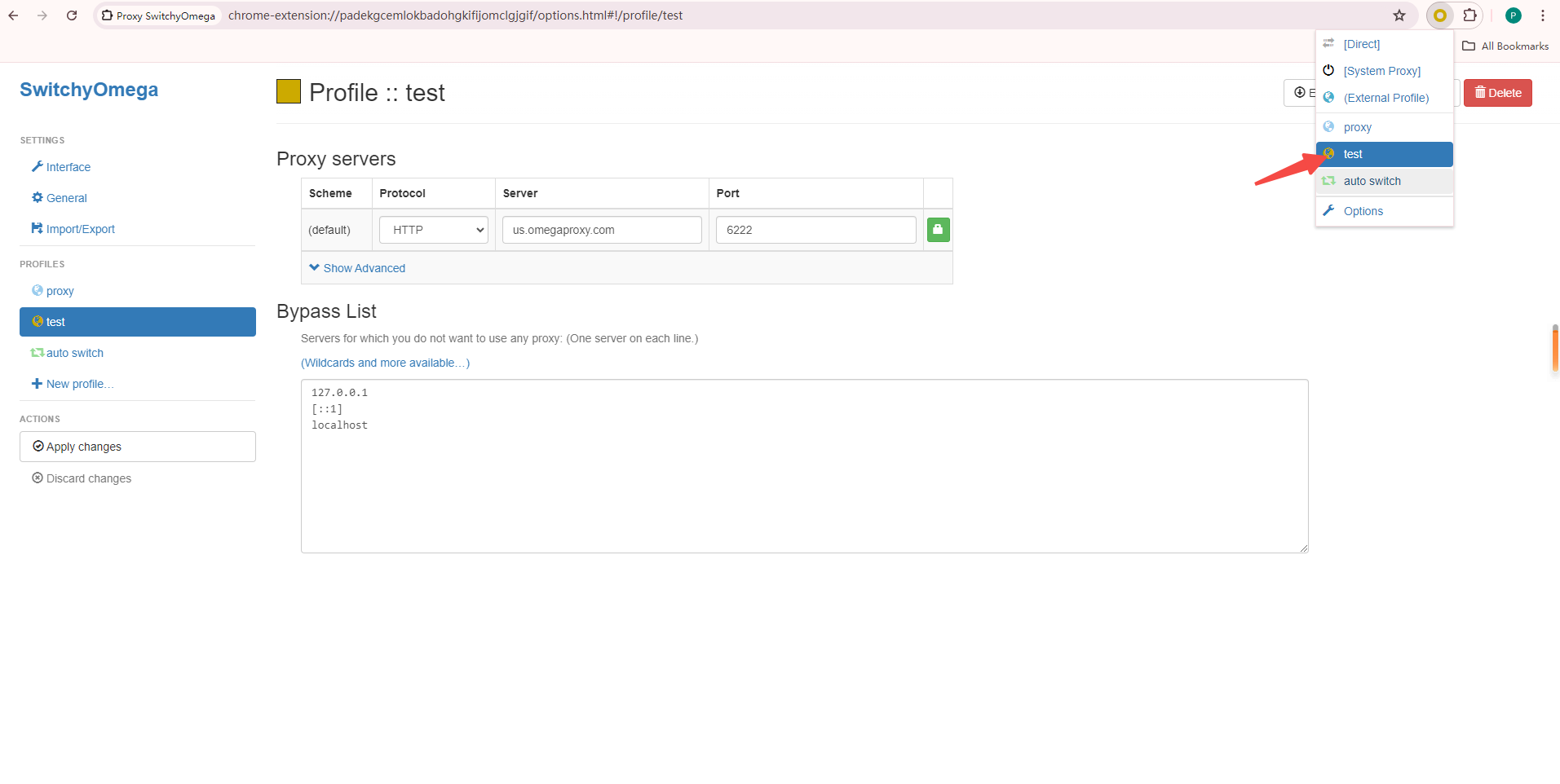
Step 6:Browser this site:api.ip.cc,If you local IP changes, it means the configuration is successful.

Collect Web Data Easily with OmegaProxy Residential Proxies

Salah satu proxy terbaik. Lebih dari 90 juta IPs aktif di seluruh dunia. Pilih alamat IP dari setiap negara atau kota.






