





住宅代理 最热
最热
最热人性化爬行,无IP屏蔽。享受来自220多个地点的9000万个真实ip
 2025-04-21 17:50:52更新
 7204查看
 5分钟阅读
5分钟阅读Step 1:
Download and install NoxPlayer
Step 2:
Step 3:
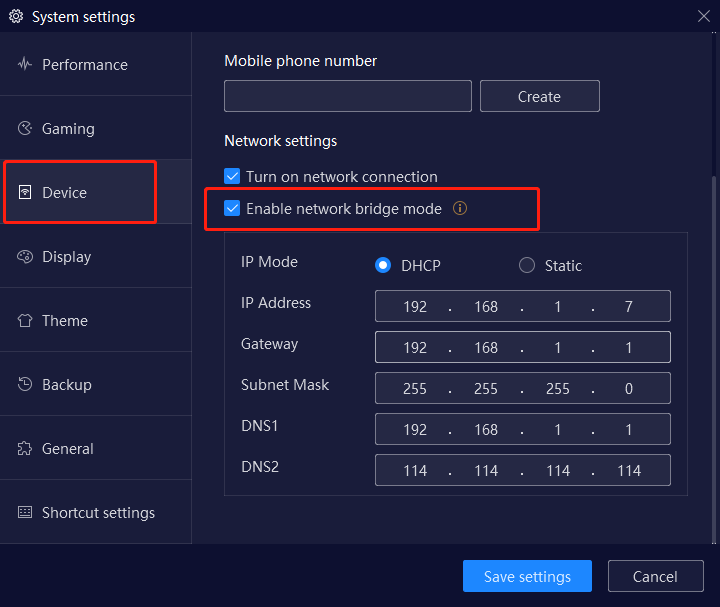
1. Open the settings page of NoxPlayer, open and install the bridge driver
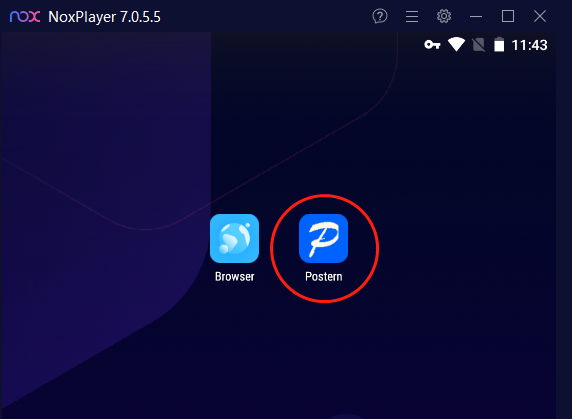
2. Install and open Postrn software in NoxPlayer
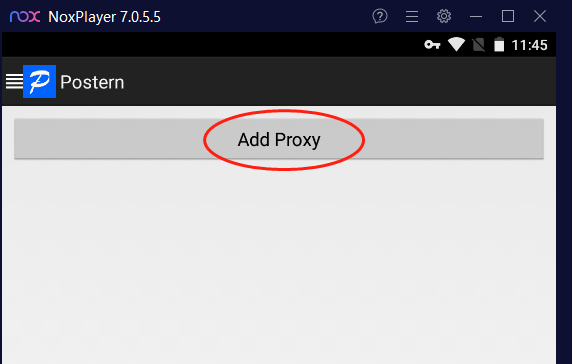
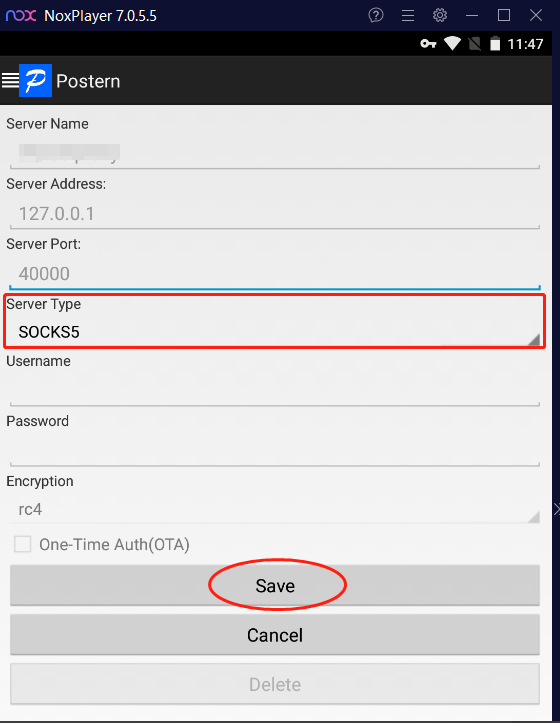
3. Click Add Proxy
4. Fill in the server name, address, port
5. Click Proxy Type and select SOCKS5
6. Click Save
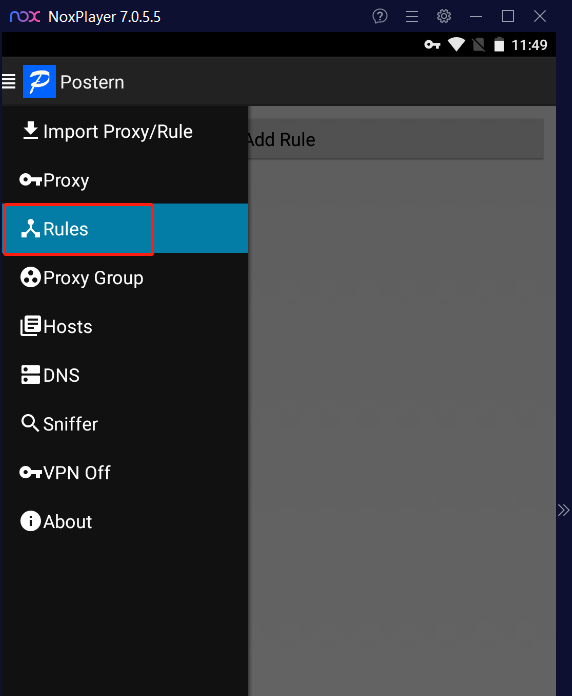
7. Click on Rules
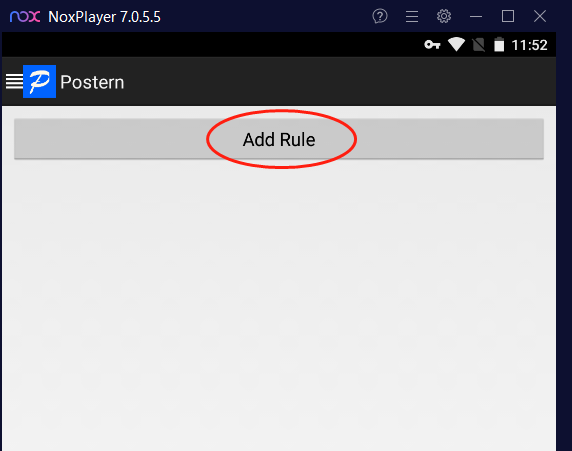
8.Click Add Rule
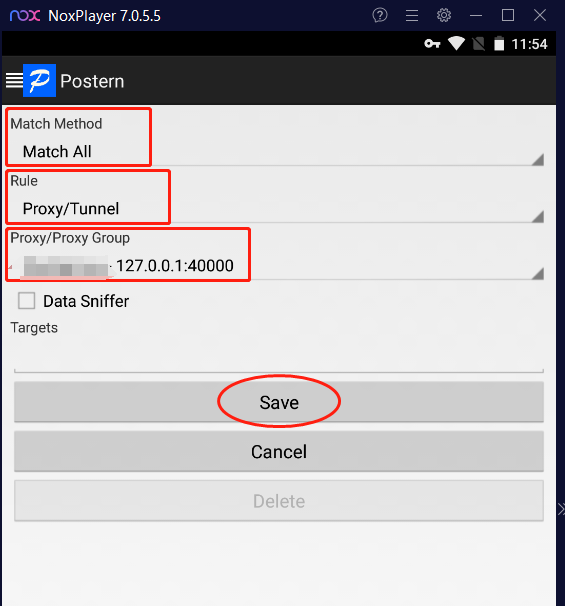
9. Matching method selects Match All, rule selects Proxy/Tunnel, Proxy/Proxy group selects the proxy just set,and finally click Save

In today's society, online games and stand-alone games have become one of the main ways for people to kill time and entertainment, and related industries have gradually grown.

In today's society, online games and stand-alone games have become one of the main ways for people to kill time and entertainment, and related industries have gradually grown.

Residential agents, this seemingly ordinary network tool, actually plays an important role in the field of data mining. It not only protects your privacy, but also ensures that your data extraction is stable and efficient.




使用OmegaProxy住宅代理轻松收集Web数据

最好的代理之一。全球活跃的IP超过9000万。选择任意国家或城市的IP地址。





