





住宅代理 最热
最热
最热人性化爬行,无IP屏蔽。享受来自220多个地点的9000万个真实ip
 2025-04-21 17:50:52更新
 12716查看
 5分钟阅读
5分钟阅读Step 1: Obtain the proxy in the Get Proxy of Dashboard and export it (taking Residential Proxies as an example)
Step 2: Open the Dolphin anty browser, log in your account, and click CREATE PROFILE.
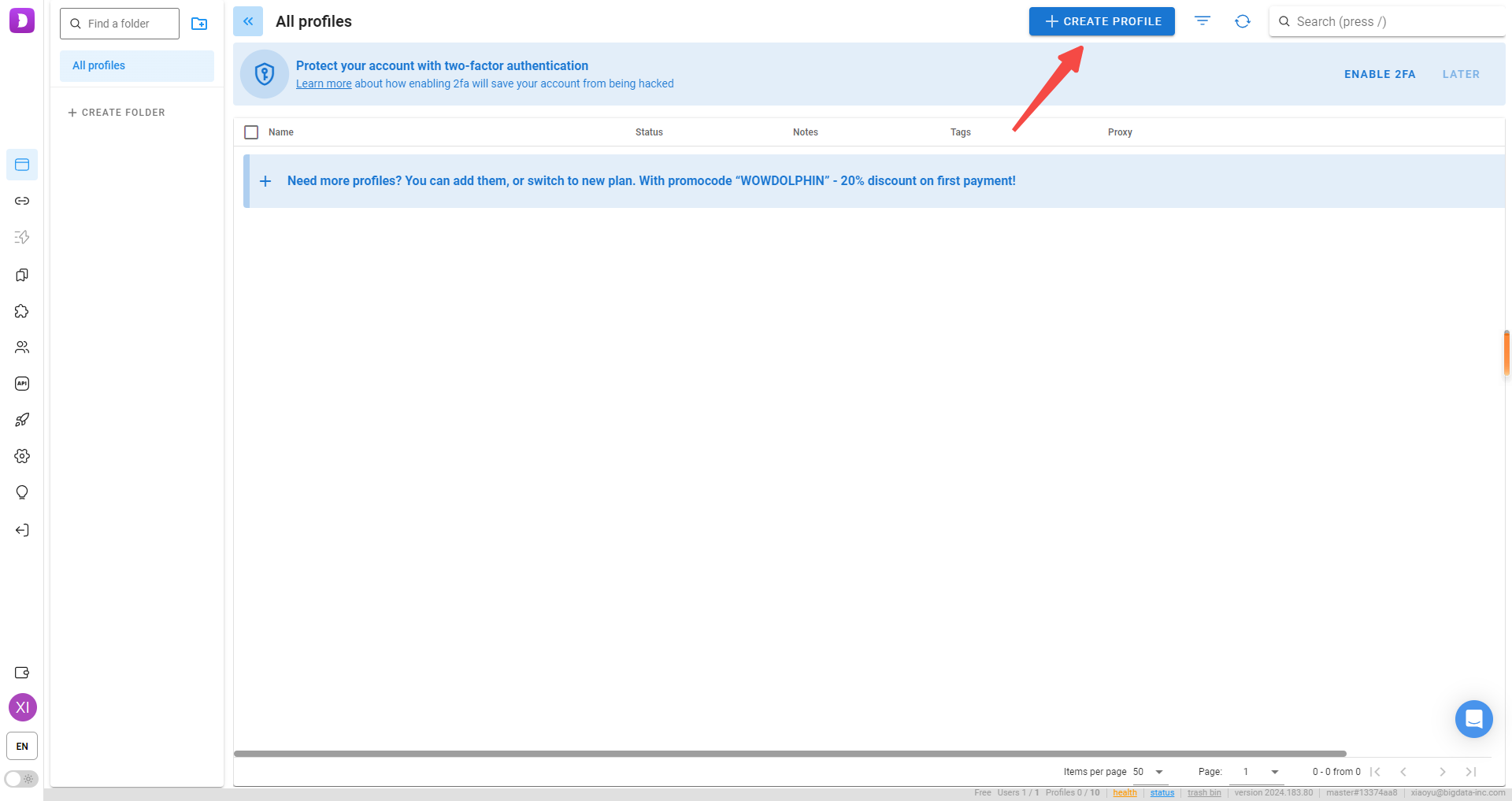
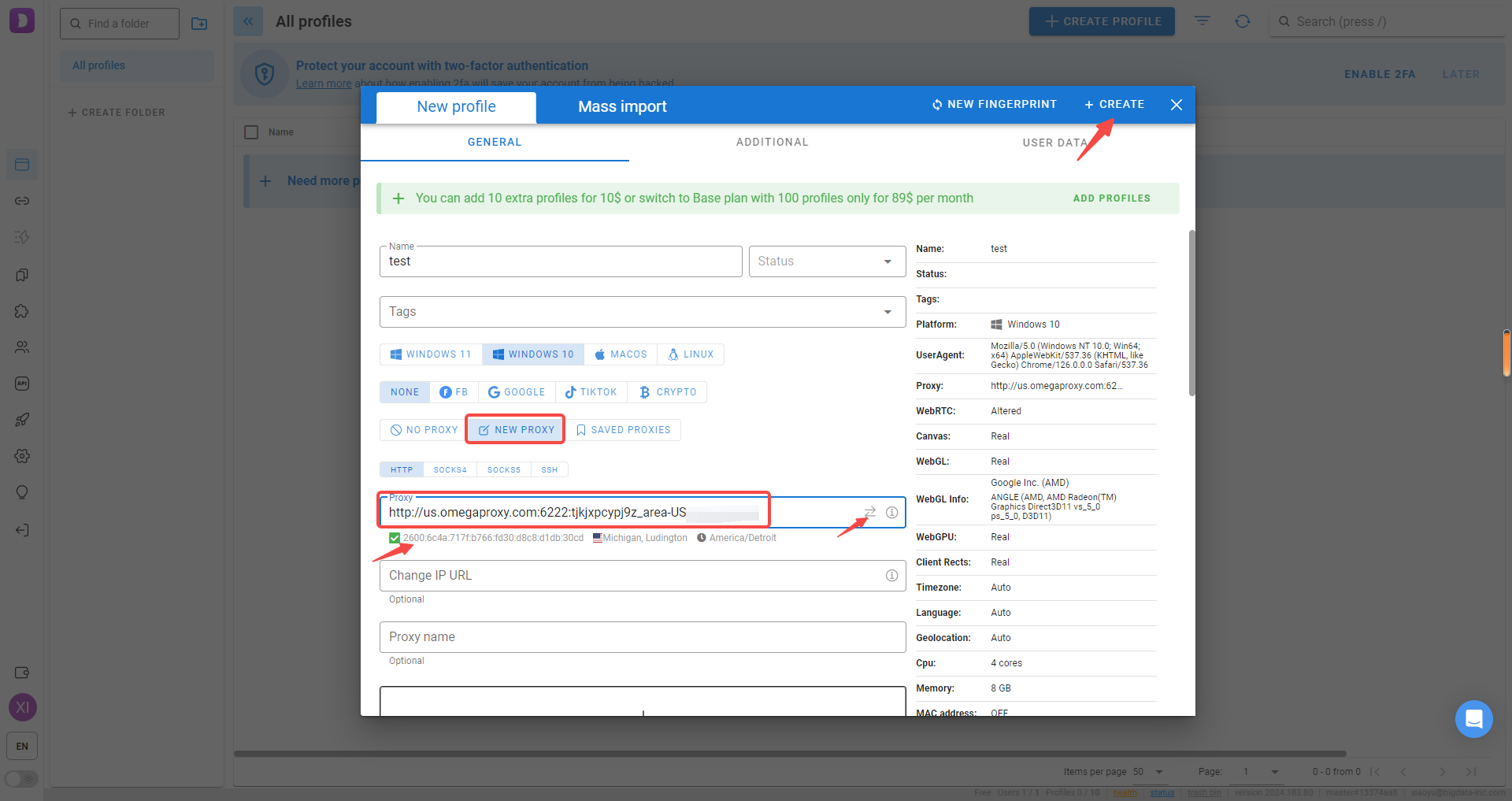
Step 3:You can select HTTP or Socks5 as the Connection type. Enter the obtained IP proxy information and click Check Proxy . After the check is successful, click Create to complete the creation.
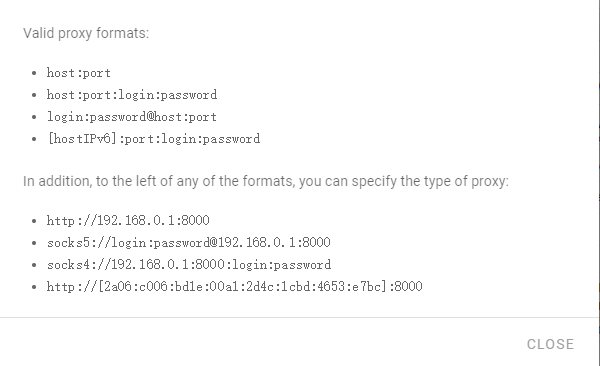
Valid proxy formats:
host:port:login:password
Or http://host:port:login:password
Step 1: Obtain the proxy in the Get Proxy of Dashboard and export it (taking Residential Proxies as an example)Step 2: Open Adspower, create a new browser, select HTTP and Socks5 as the Proxy type, and select ip-api as the IP checker. Enter the obtai
Step 1: Obtain the proxy in the Get Proxy of Dashboard and export it (taking Residential Proxies as an example) Step 2: Open Bit Browser, click the Browser Profiles, add one window, select ip-api as the IP Lookup Channel, and select HTTP and Socks5 as
Step 1: Obtain the proxy in the Get Proxy of Dashboard and export it (taking Residential Proxies as an example) Step 2: Open the Morelogin browser and log i your account. Click New Profile. Step 3: Find the proxy settings in the Advanced create: select
Step 1: Obtain the proxy in the Get Proxy of Dashboard and export it (taking Residential Proxies as an example) Step 2: Open the Incogniton browser, log in your account, and click Browser Profile Creation.
Step 1: Abstract the proxies in the dashboard and export it. Step 2: Open DICloak, select Profiles, and click Create Profile: Step 3: Select the Proxy settings on the left, click the proxy type (you can select HTTP or Socks5), enter the proxy informa
使用OmegaProxy住宅代理轻松收集Web数据

最好的代理之一。全球活跃的IP超过9000万。选择任意国家或城市的IP地址。





