





住宅代理 最热
最热人性化爬行,无IP屏蔽。享受来自220多个地点的9000万个真实ip


2025-04-21 17:50:52
Step 1:
Step 2:
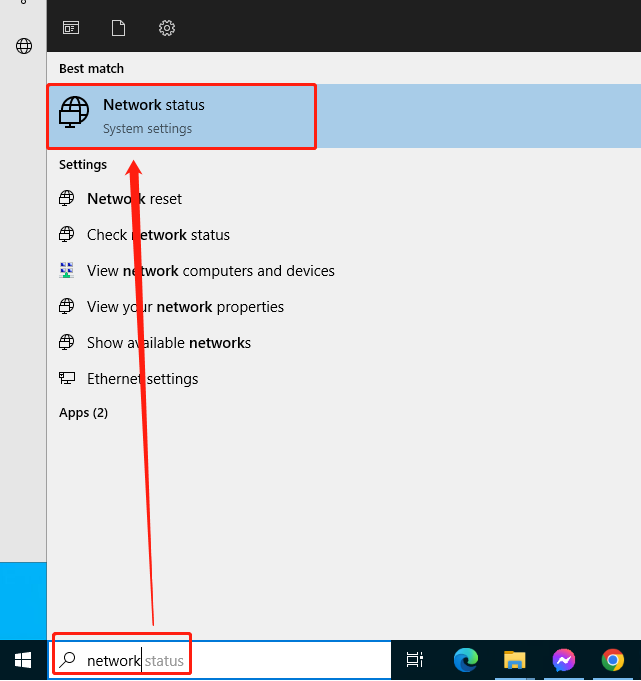
Open the computer network settings
1. Type in the search box: network
2. Click "Network status" in the search result
Step 3:
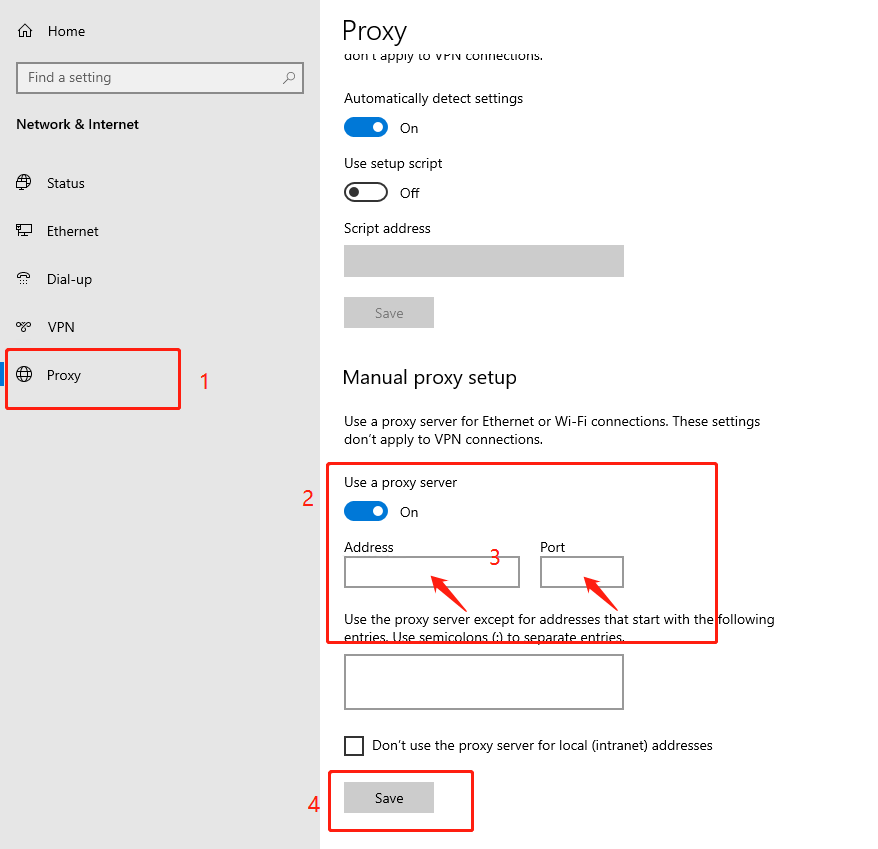
Configure the proxy server
1. Select "Proxy" in the left list
2. Click "on" button to open the use of proxy server
3. Fill in the local proxy address and port
4. Click "save" to finish, you can configure successfully.

最好的代理之一。全球活跃的IP超过9000万。选择任意国家或城市的IP地址。





