




 HOT
HOT





Help Center

User Guide
Usage Method
Usage Method
2025-09-09 09:49
Follow these simple steps to quickly get started using Omegaproxy's Universal Scraping API to bypass website restrictions and scrape data seamlessly.
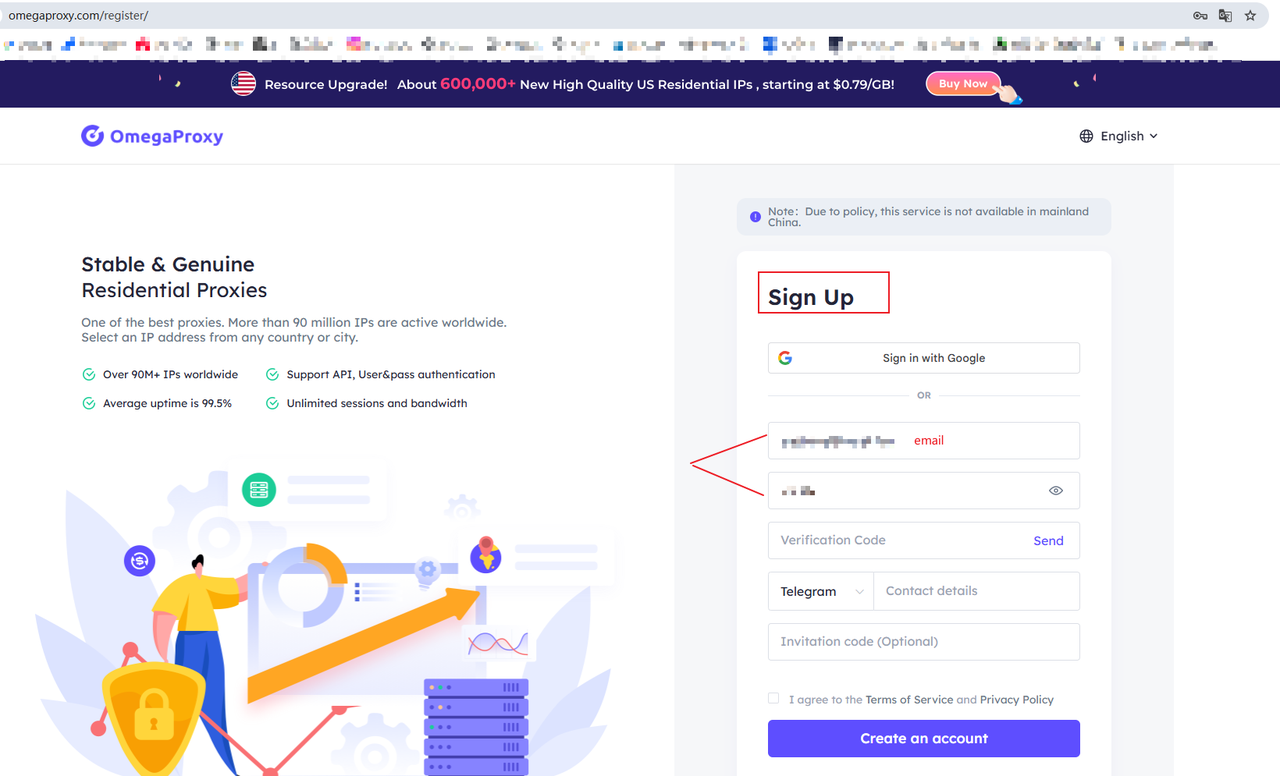
1.Register and Login
Visit the official OmegaProxy website and sign up, or sign up and log in immediately using your Google account.
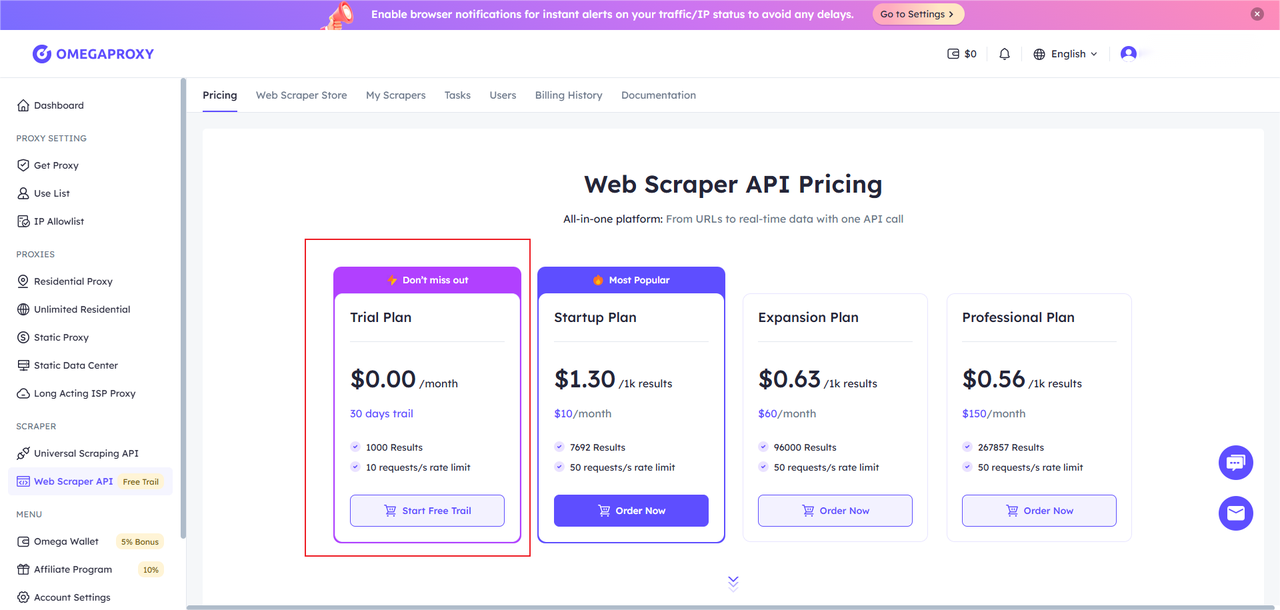
2.Request a free trial
After logging in, navigate to Web Scraper API,click Buy, and then choose the appropriate payment method. (No payment required for the trial)
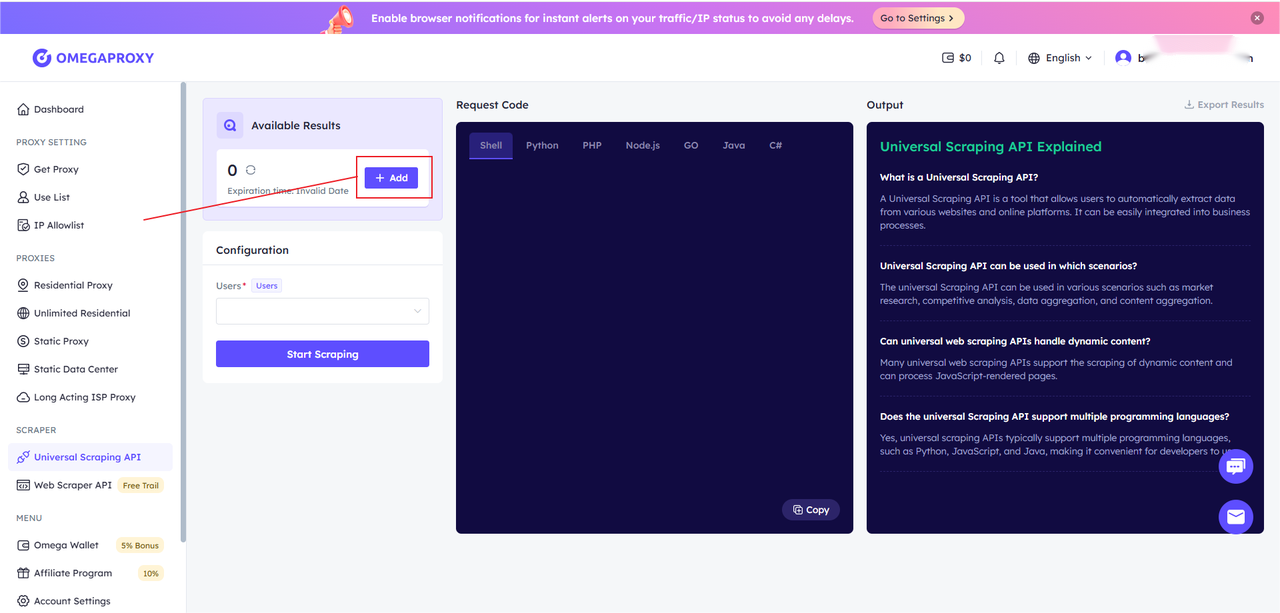
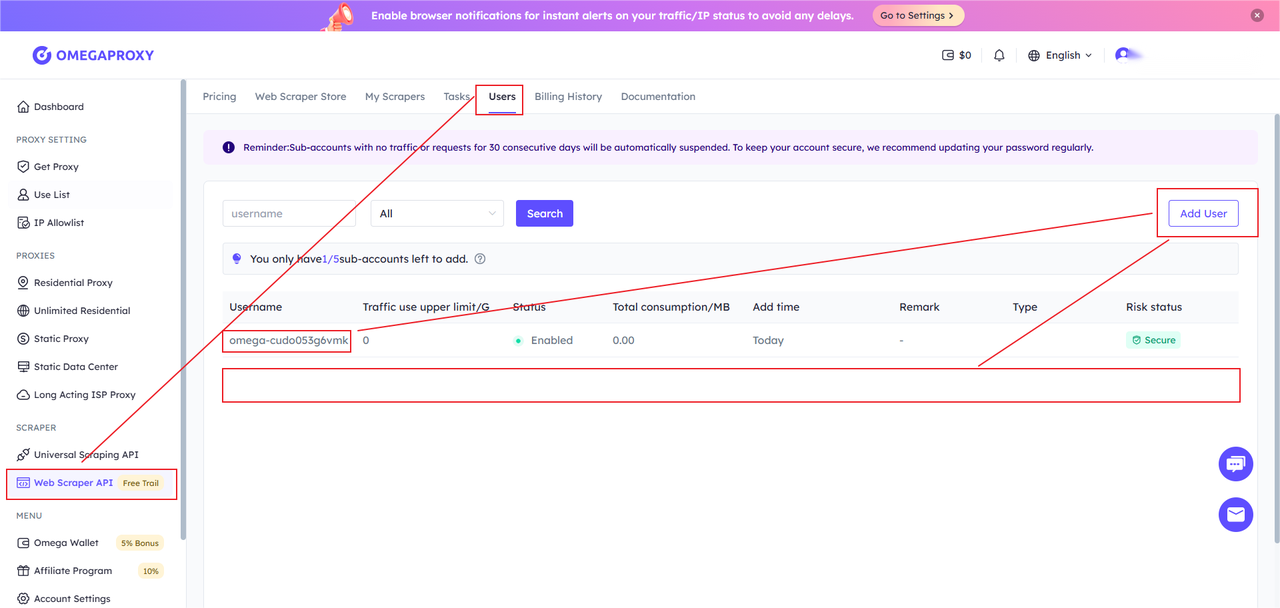
3.To add a user
After the trial is activated, go to Web Scrape API User to add a user
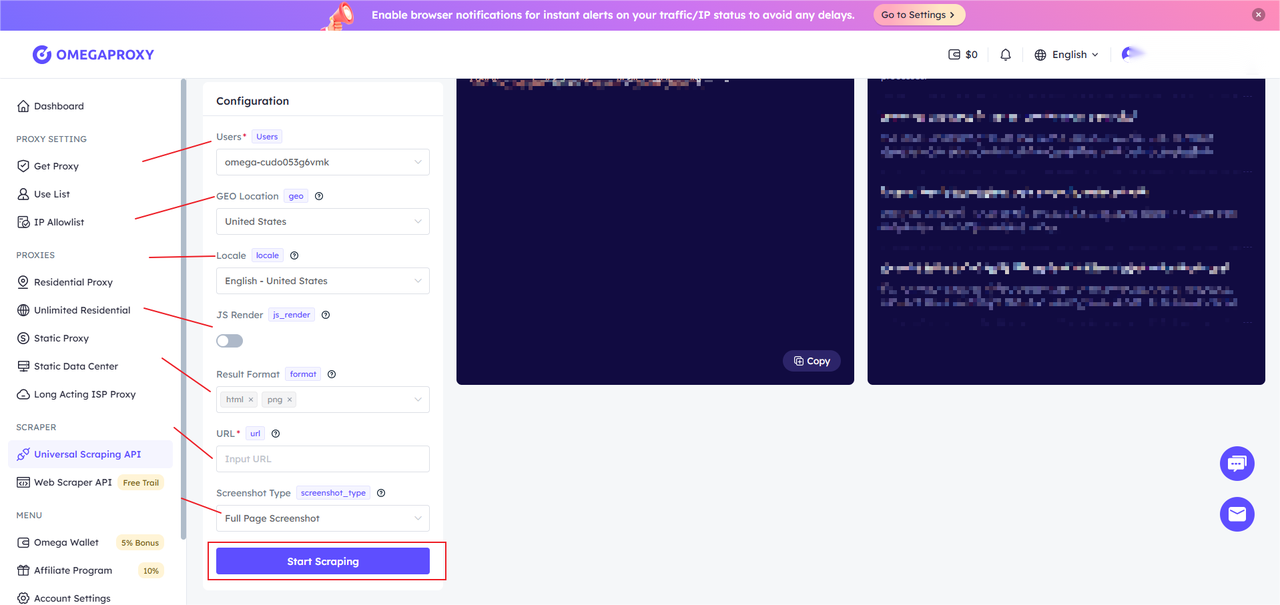
4. Configuring Parameters
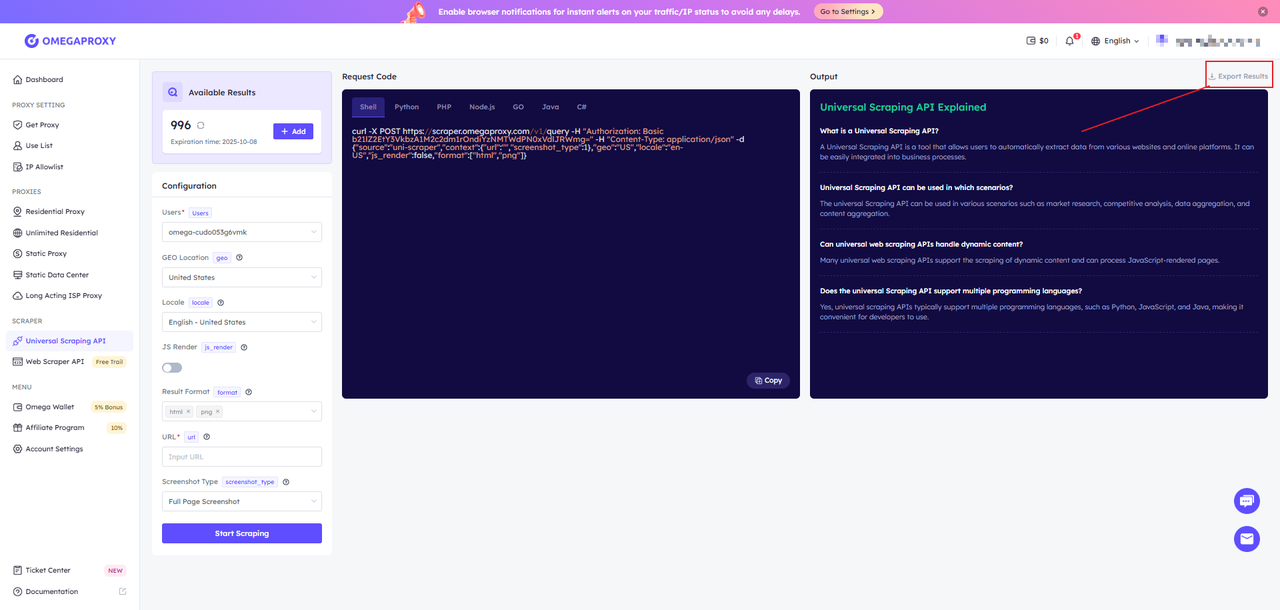
After selecting a target URL, you can flexibly configure key parameters and output formats, such as enabling JavaScript rendering, setting geo-targeting, and choosing HTML or PNG as the output. Once configured, the right panel will automatically generate code examples in multiple languages (including cURL, Shell, Python, PHP, Node.js, Go, Java, C#, and more). Simply copy and paste them for quick integration into your platform.
5.Start crawling
After configuring the parameters, click [Start Capturing] to view the real-time captured results (PNG/HTML) in the right panel based on your output format settings.
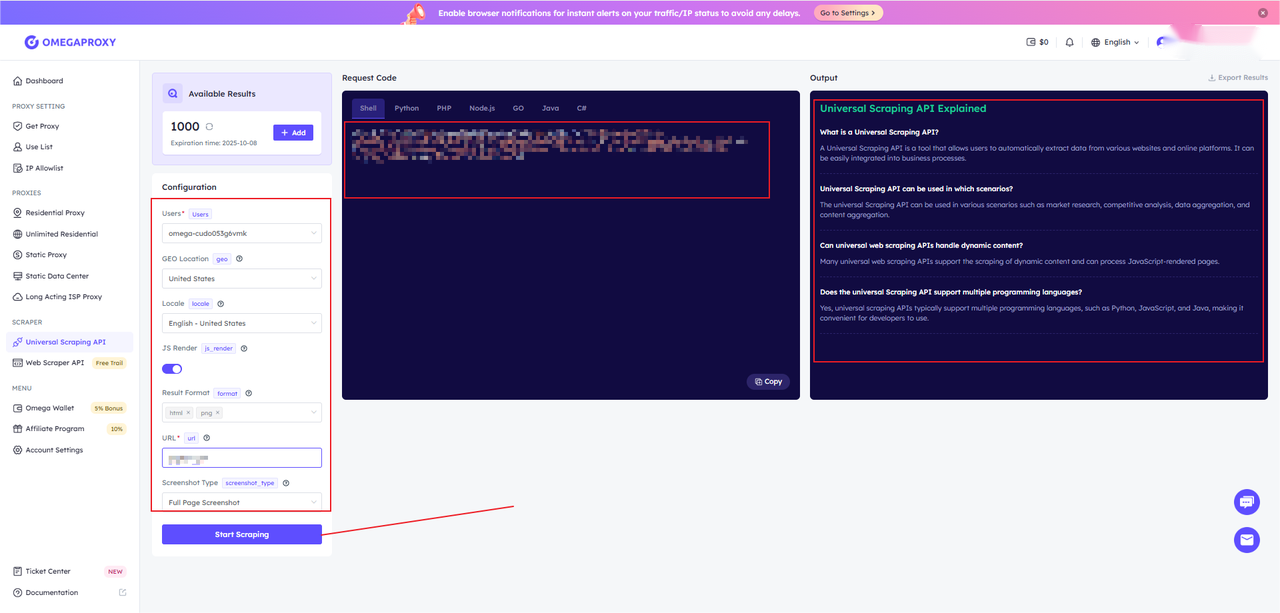
6. Results Preview and Download
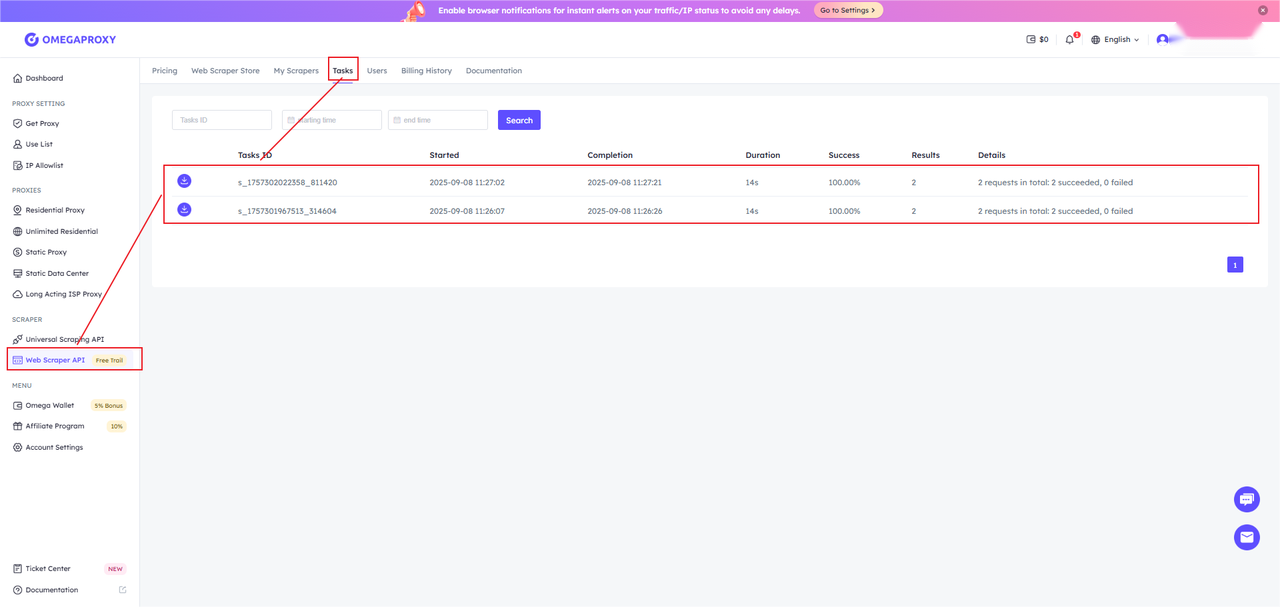
After the task completes, wait for the API to process and return the results. View the results in the "Output Preview" tab, which displays the output code and HTML/PNG preview. Use the buttons in the upper-right corner to export the data as JSON or HTML. You can also download the document in the web crawler.