





Residential Proxy HOT
HOT
HOTHumanized crawling, no IP shielding.Enjoy 90M real IPs from 220+ locations


2025-04-21 17:50:52
Step 1:
Download and install Firefox browser:
http://www.firefox.com.cn/?p=PIA
Step 2:
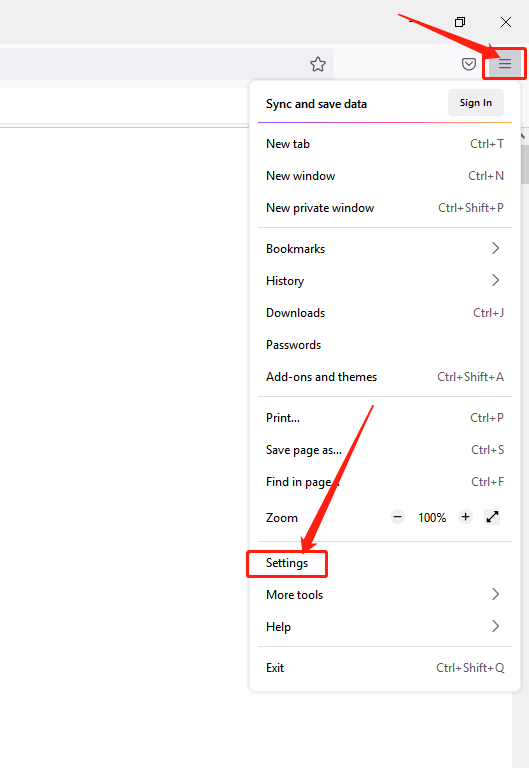
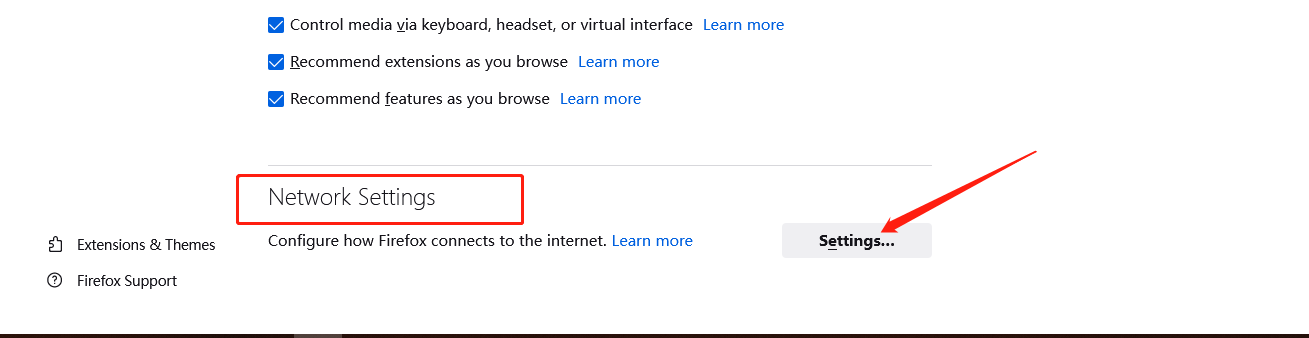
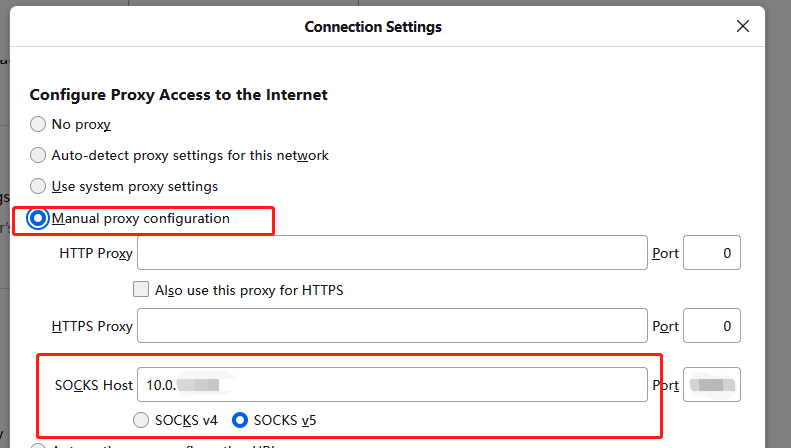
Open Firefox browser > Menu > Settings > Network Module > Settings > Manual Settings > IP+Port > socks v5 DNS > OK
1.Open the browser, click "Menu bar" - "Settings" in the upper right corner.
2. Find the "Network Settings" module in the dialog box and click "Settings".
3. Select "Manual Settings" and fill in the obtained proxy IP address and port in the dialog box.
4. Check "Proxy DNS when using socks v5" and confirm.
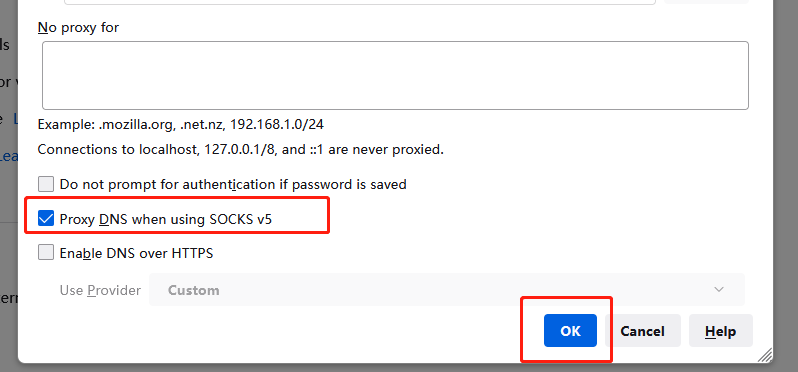
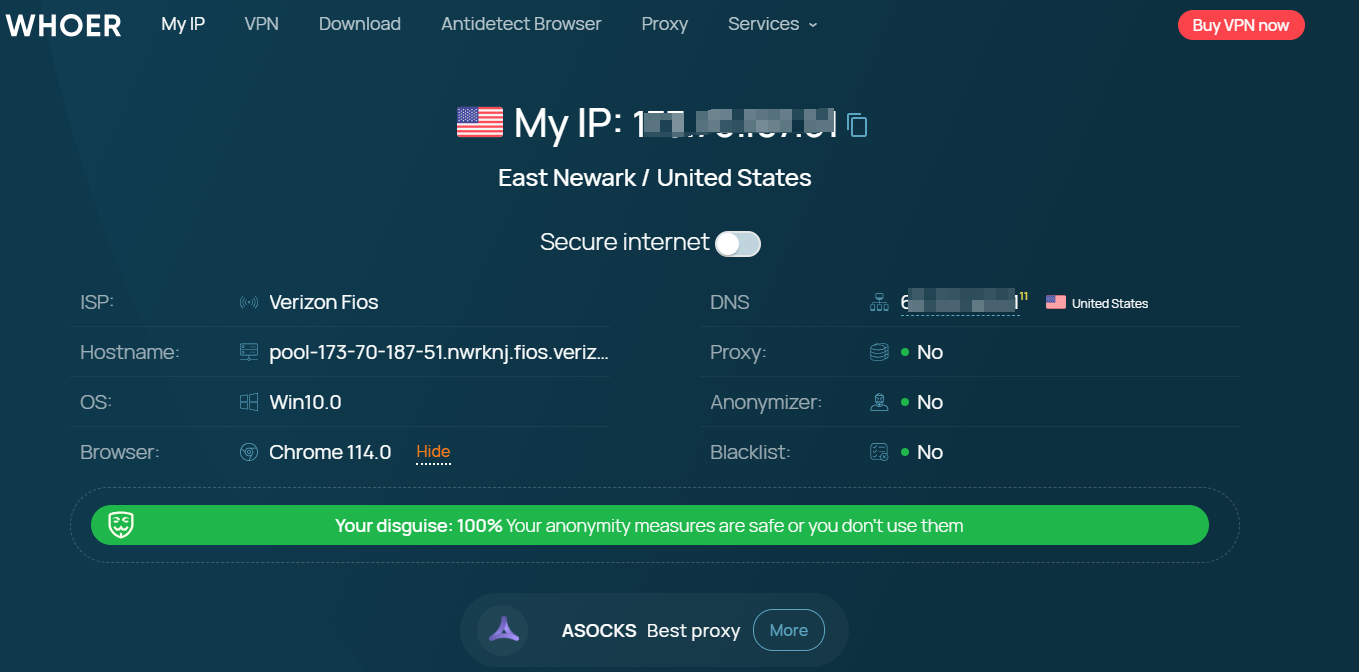
5. After completing the above steps, the proxy is successful.

One of the best proxies. More than 90 million IPs are active worldwide. Select an IP address from any country or city.





