




 HOT
HOT





Help Center

User Guide
MacOS
MacOS
2024-07-12 20:26
MacOs
Step 1:Add a proxy
Step 2:Find the network proxy Settings
Apple button > System Preferences > Network > Advanced
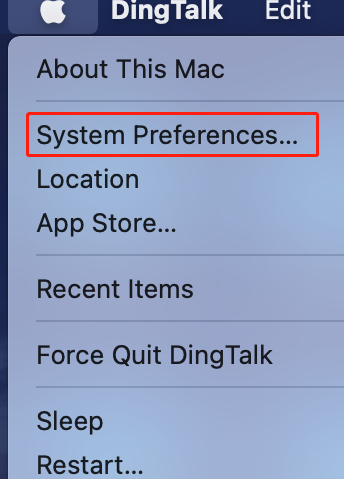
Click on the Apple logo (upper left corner)
1.Click on "System Preferences"
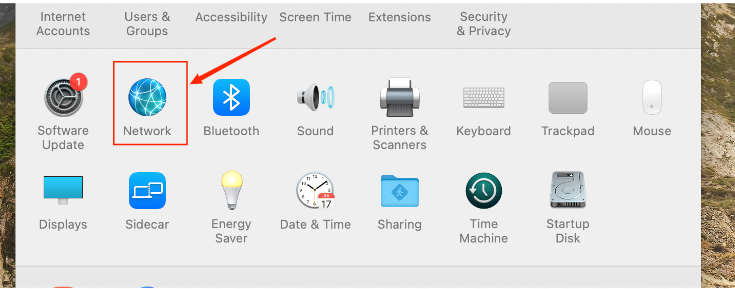
2.Click "Network"
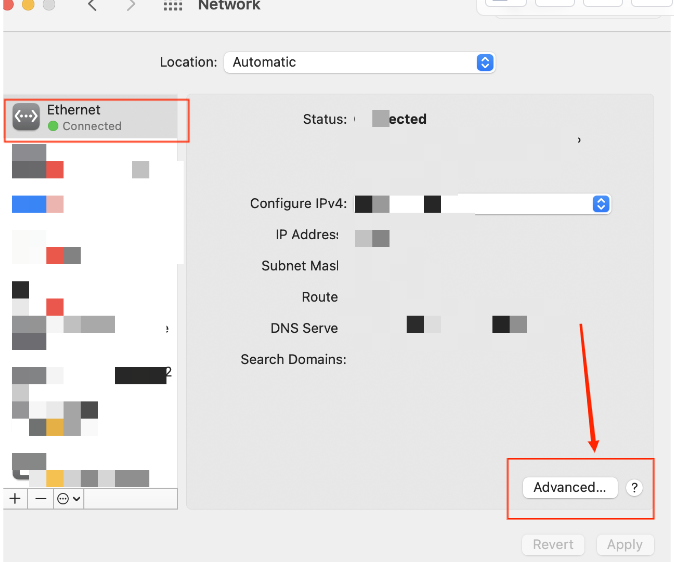
3.Click "Advanced"
Step 3:Set up and use a proxy server
Proxy > SOCKS Proxy > Local Proxy Address and Port > OK > Application
1. Select the proxies TAB
2. Select "SOCKS Proxy"
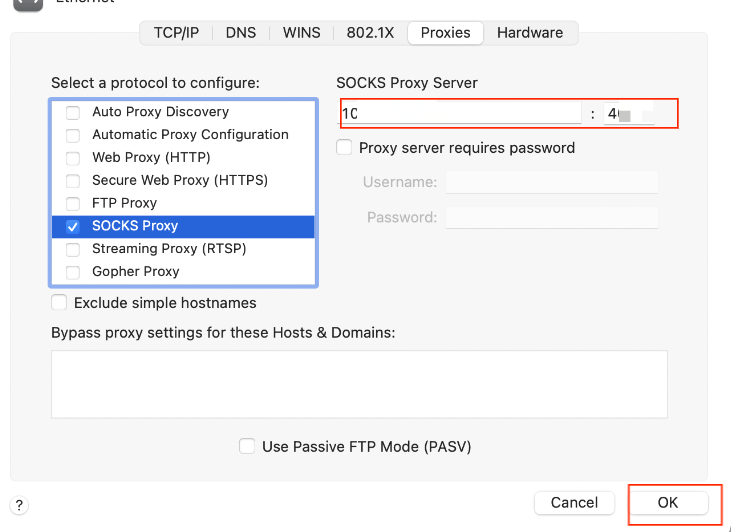
3. Fill in your local proxy address and port
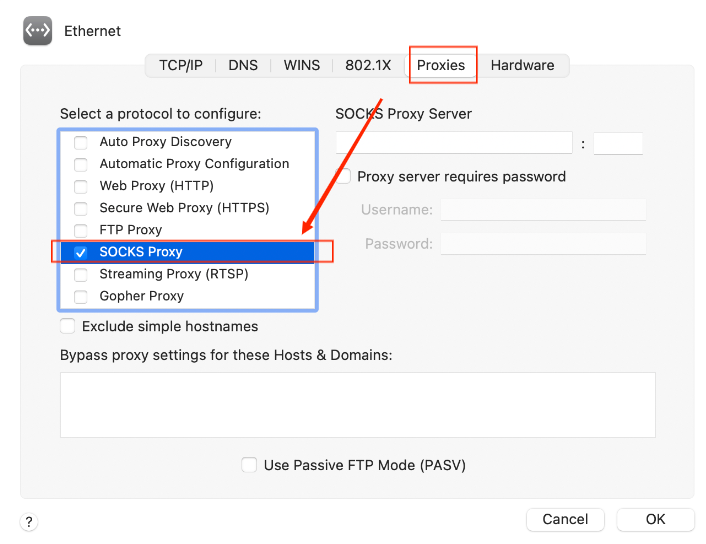
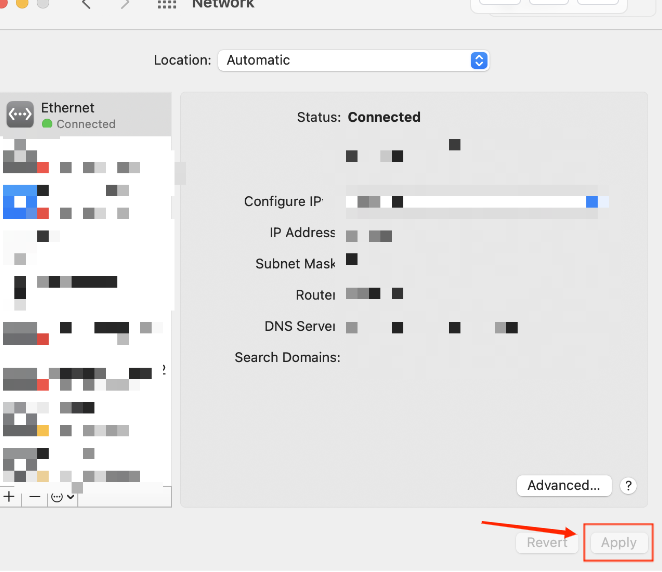
4. Click Apply