





Residential Proxy HOT
HOTHumanized crawling, no IP shielding.Enjoy 90M real IPs from 220+ locations


2025-04-21 17:50:52
Step 1:
Step 2:
Open the computer network settings
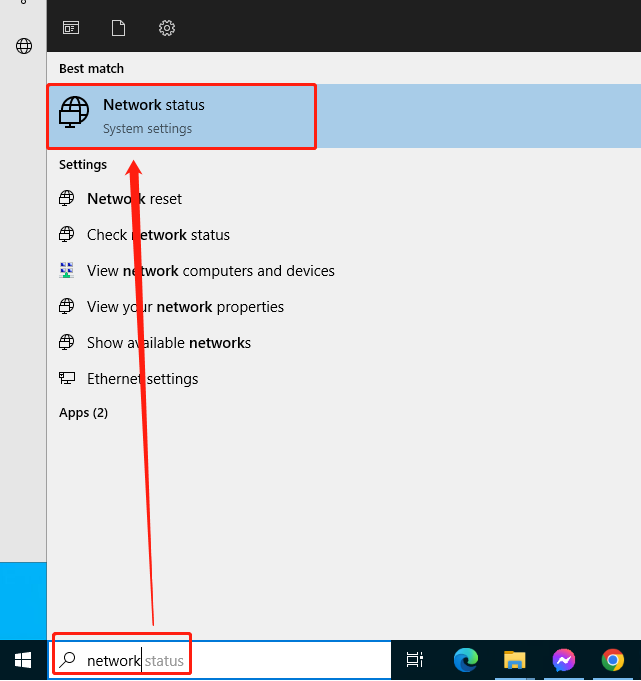
1. Type in the search box: network
2. Click "Network status" in the search result
Step 3:
Configure the proxy server
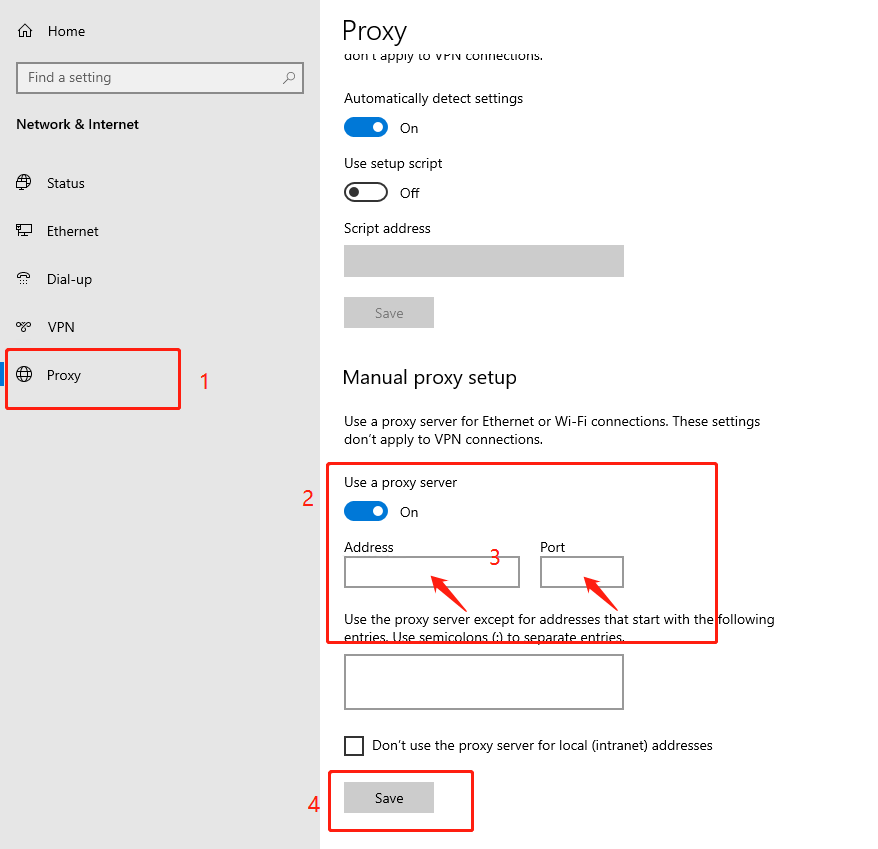
1. Select "Proxy" in the left list
2. Click "on" button to open the use of proxy server
3. Fill in the local proxy address and port
4. Click "save" to finish, you can configure successfully.

One of the best proxies. More than 90 million IPs are active worldwide. Select an IP address from any country or city.





