





Residential Proxy HOT
HOT
HOTHumanized crawling, no IP shielding.Enjoy 90M real IPs from 220+ locations


2025-04-21 17:50:52
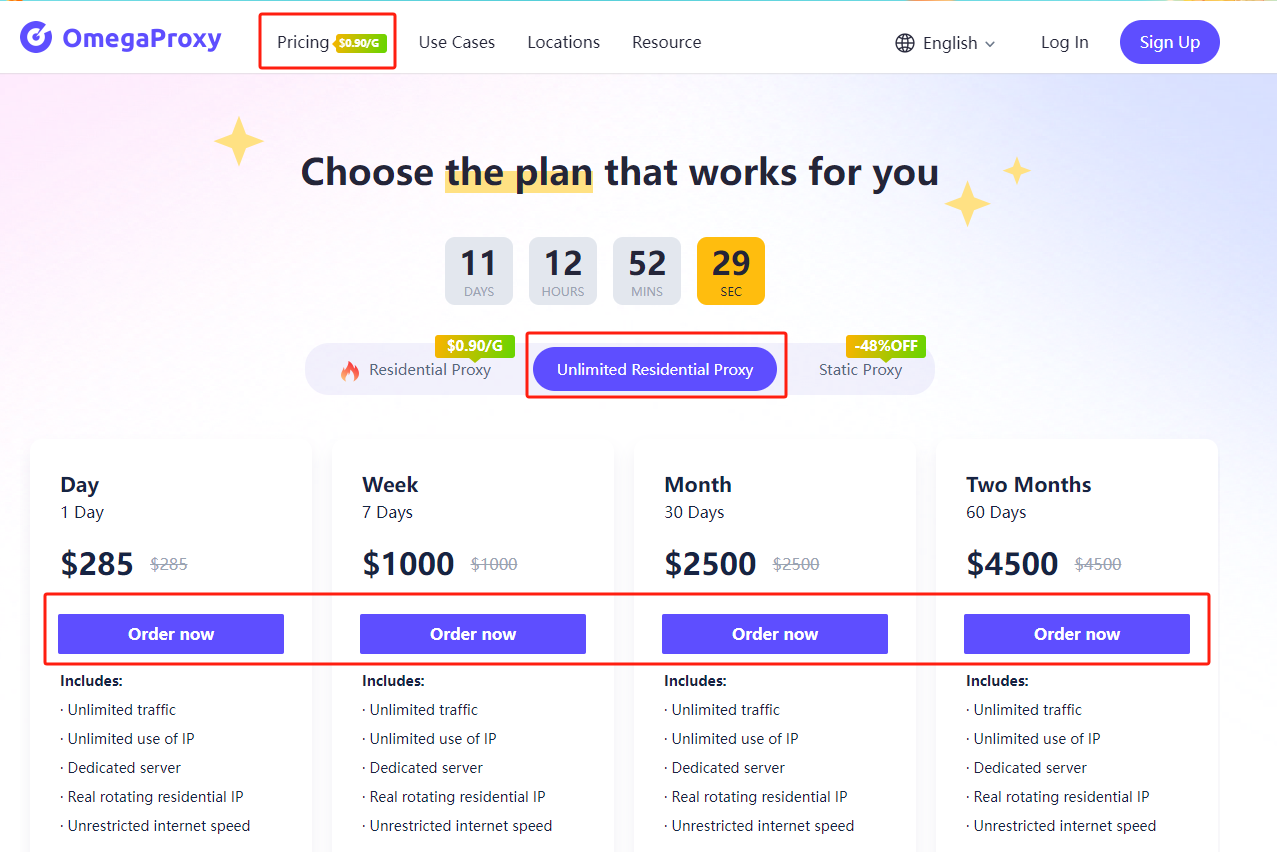
1. Select the right unlimited residential proxy package on the pricing page and click "Order now."
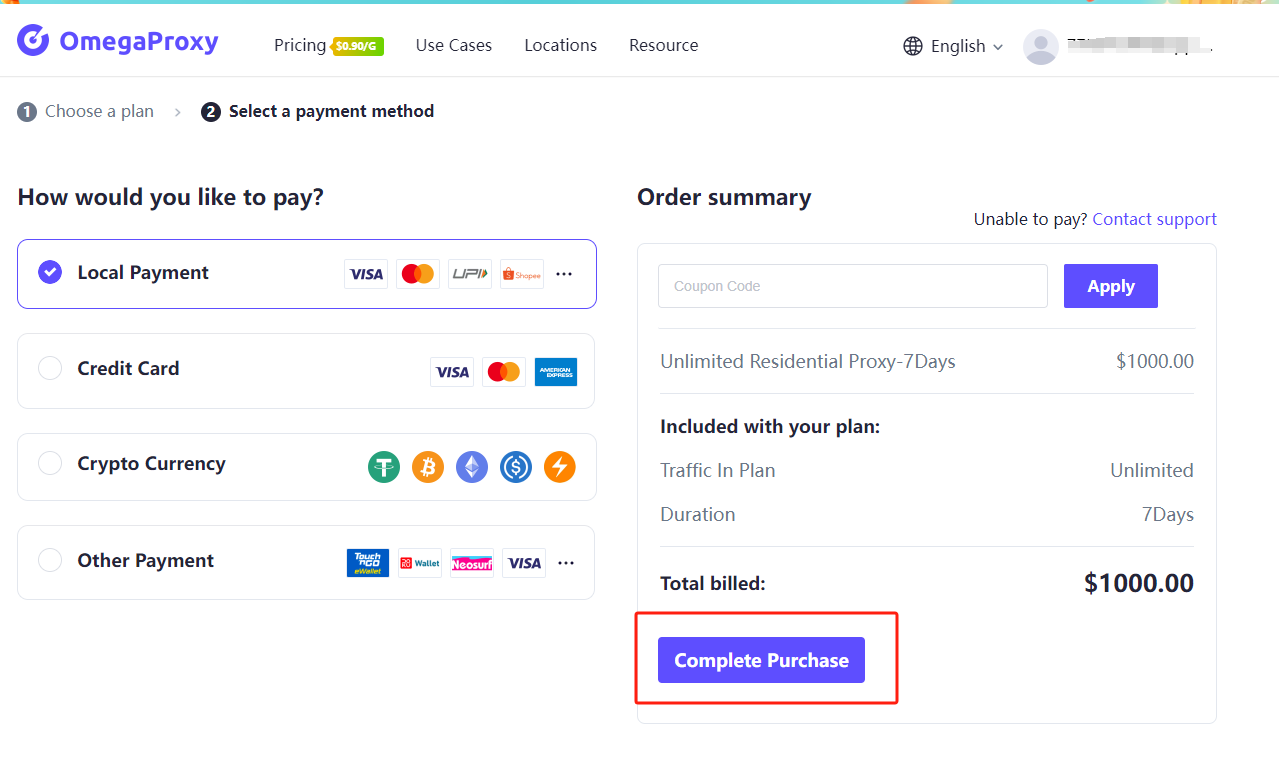
2.Select the appropriate payment method and click "Complete Purchase."
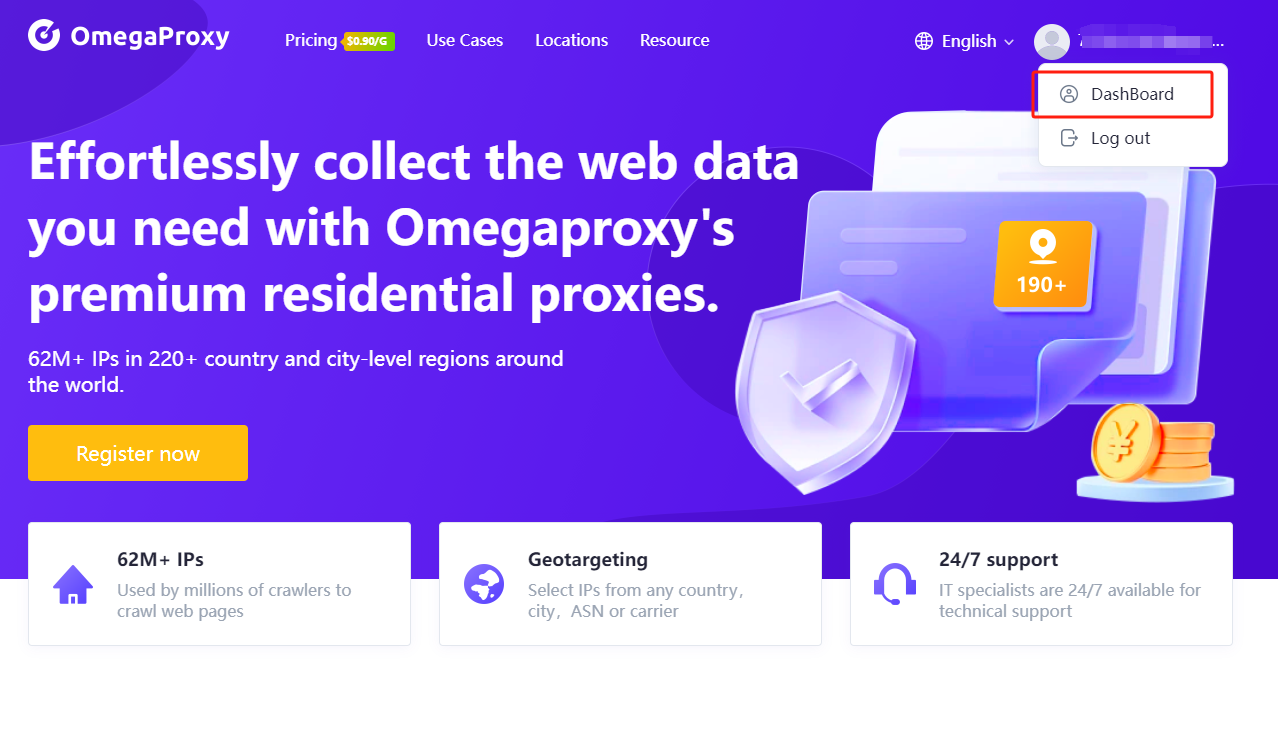
3. Click on the Dashboard below your avatar.
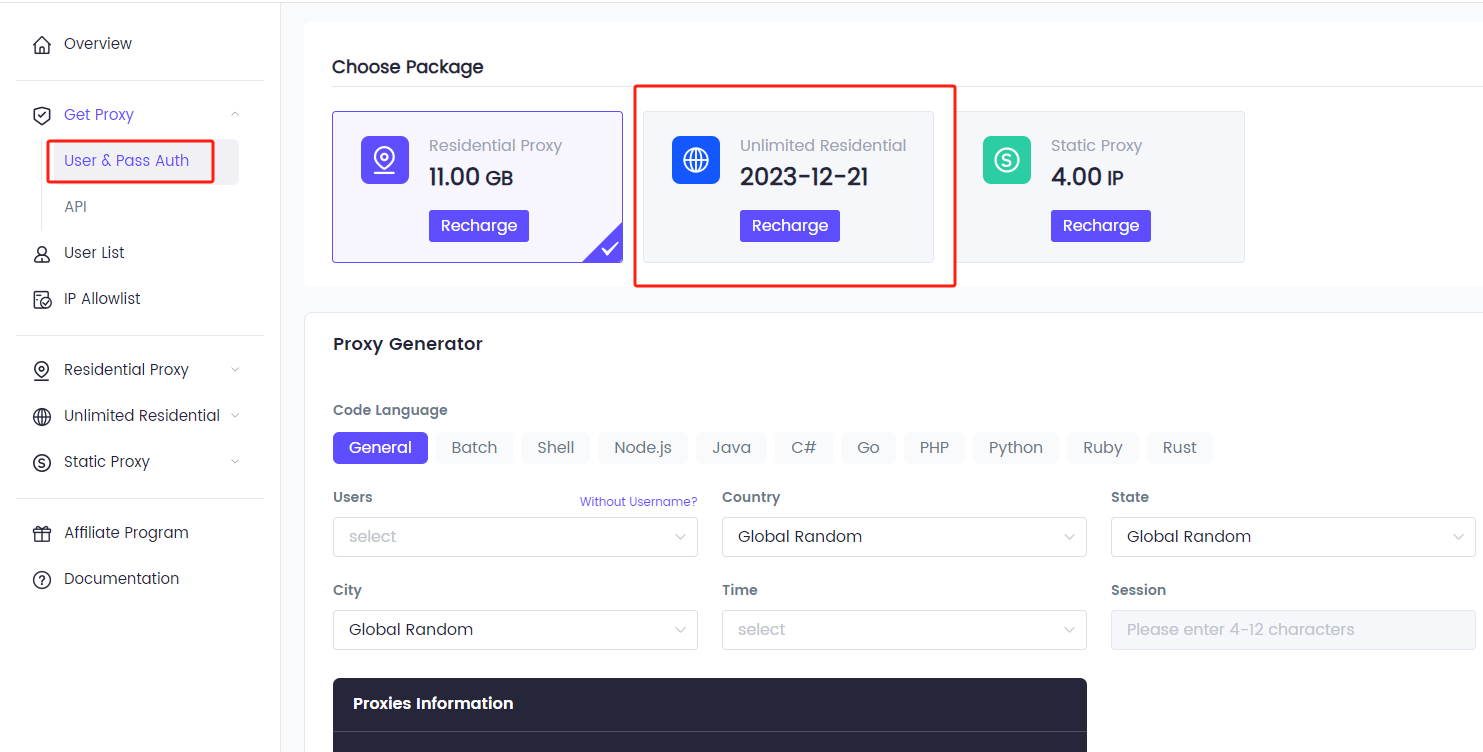
4. Click “User & Pass Auth”and select “Unlimited Residential.”
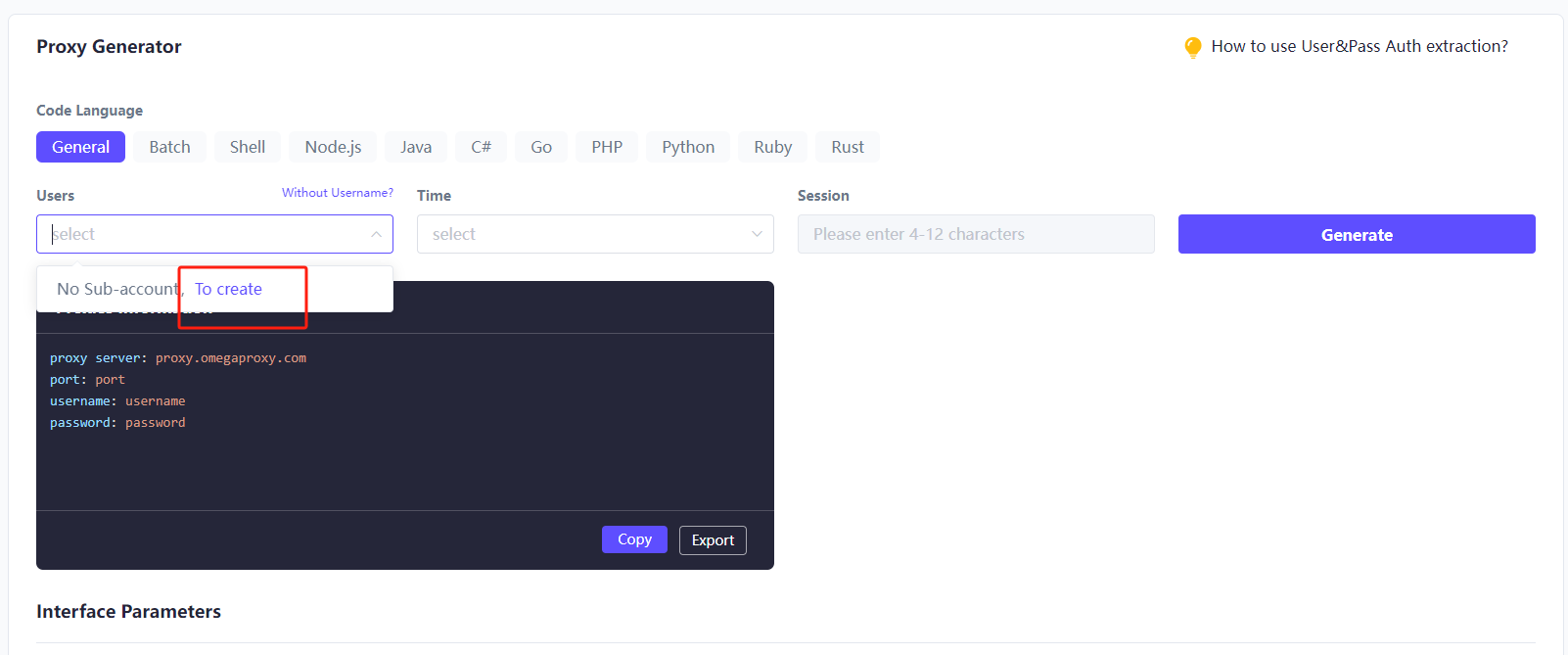
5. Click "To create" to create a sub-account.
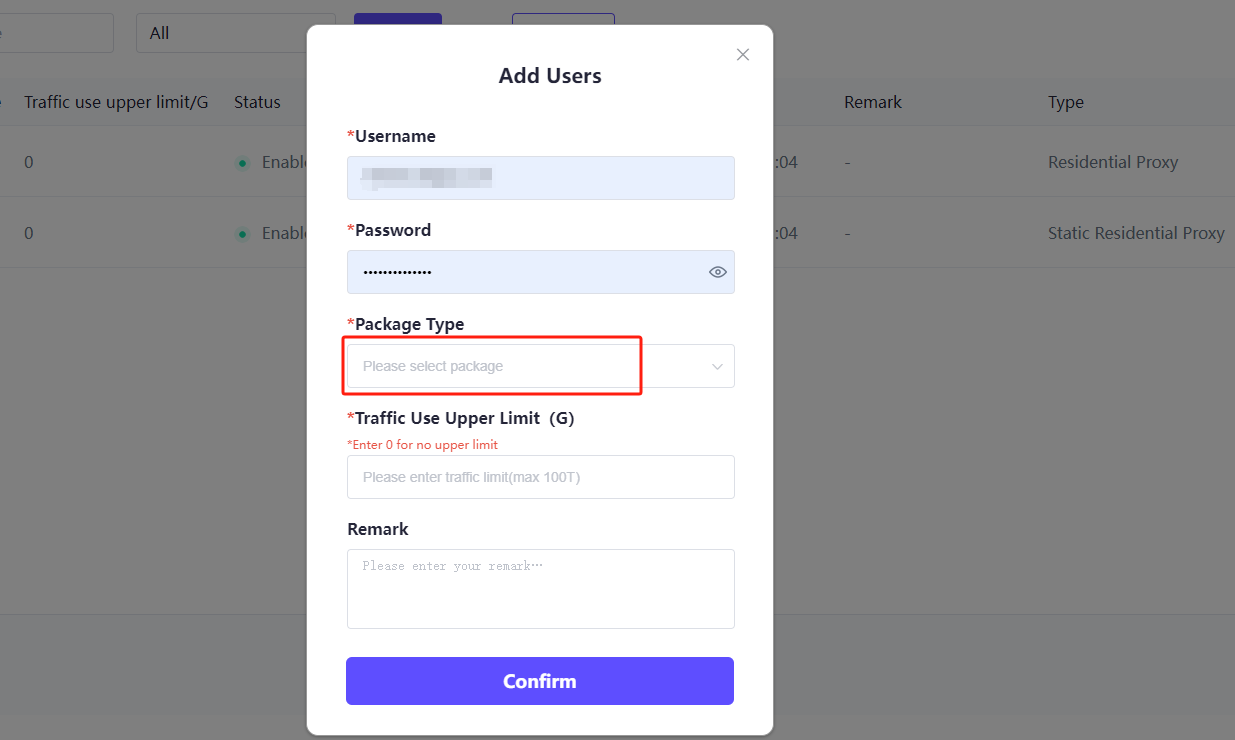
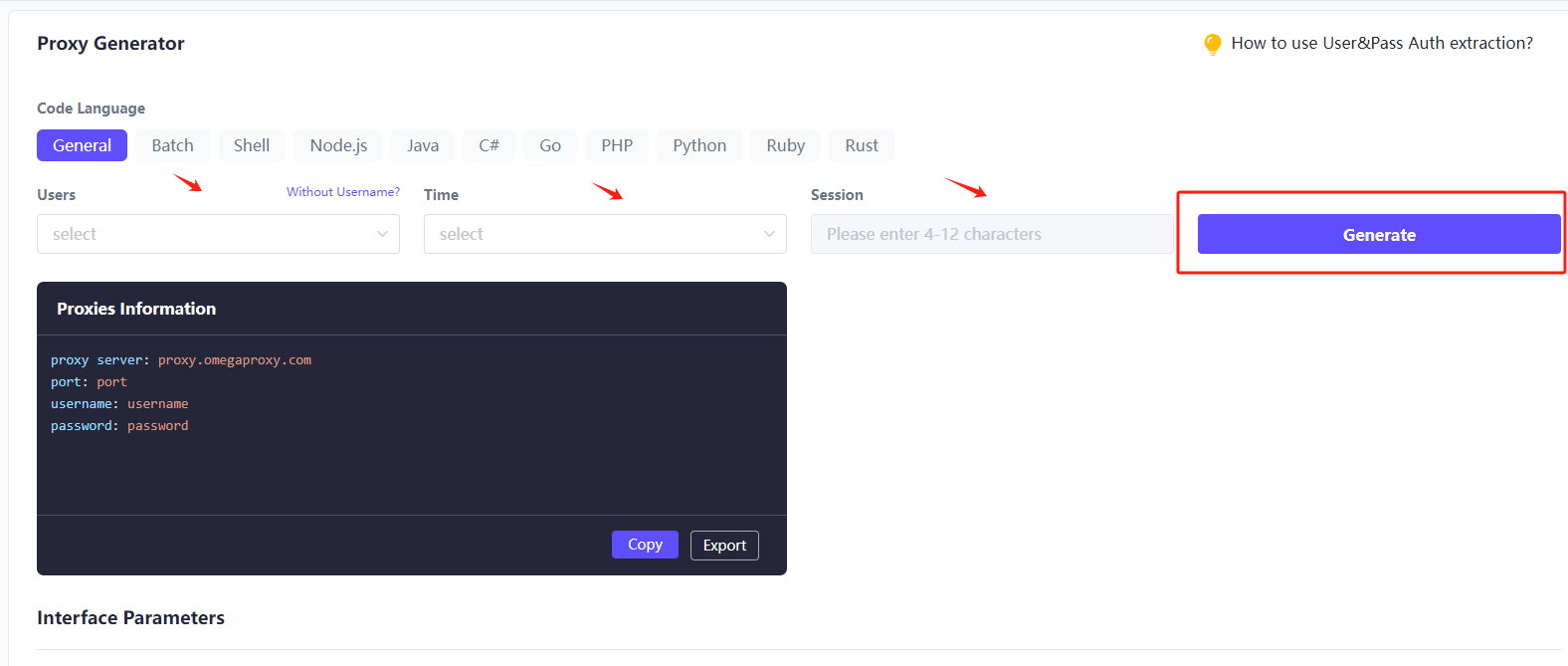
6. Select User, Time, fill in the session, and click “Generate.”
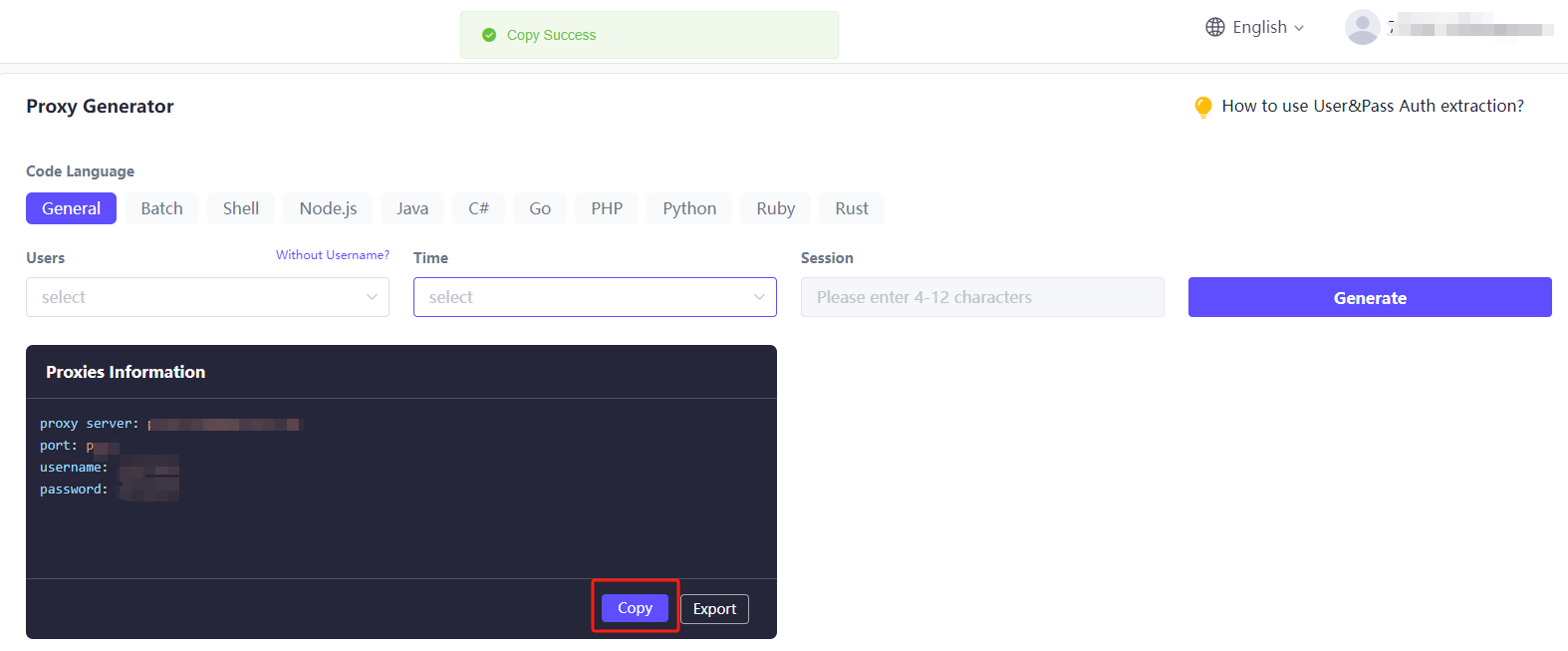
7. Then click the copy link.

One of the best proxies. More than 90 million IPs are active worldwide. Select an IP address from any country or city.





