





Residential Proxy HOT
HOTHumanized crawling, no IP shielding.Enjoy 90M real IPs from 220+ locations


2025-04-21 17:50:52
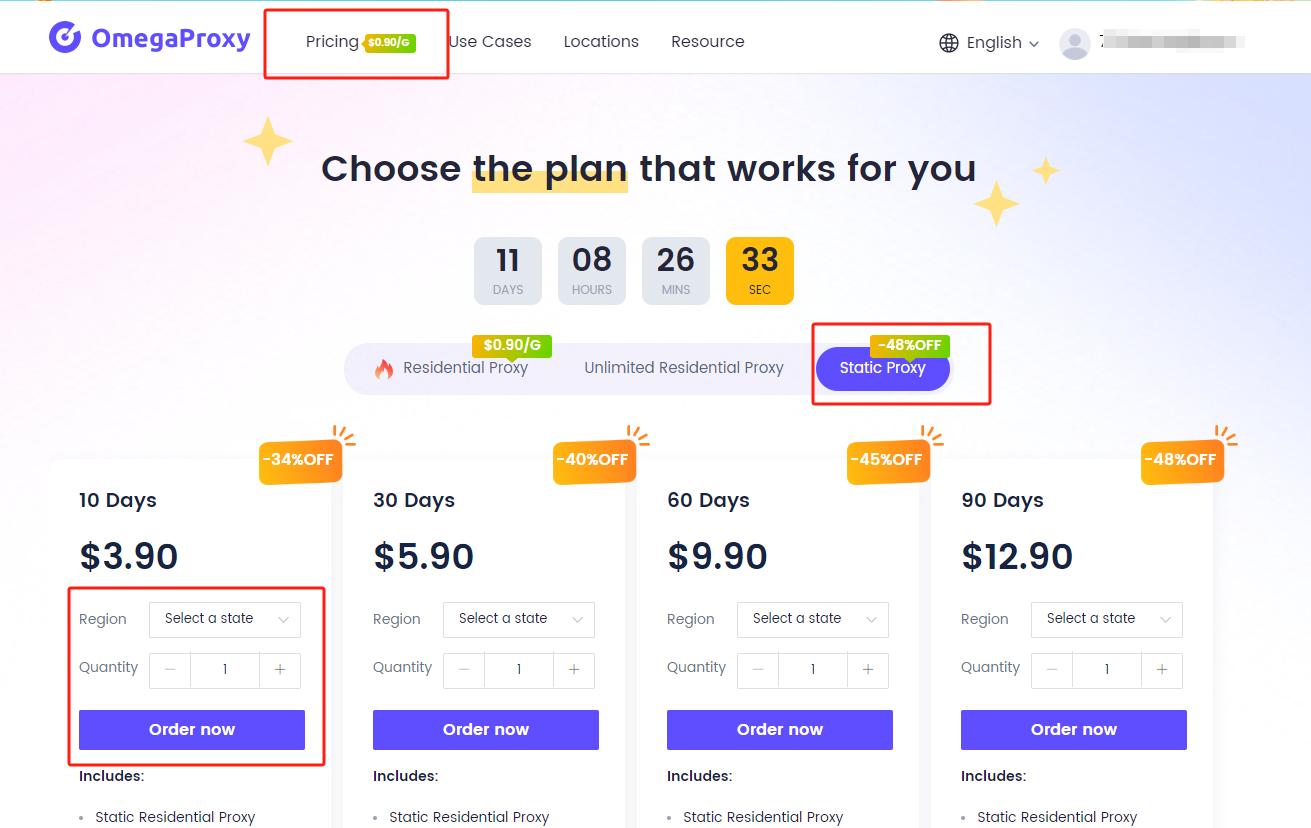
1. Select the right static proxy package on the pricing page, and select region and quantity. Click “Order now.”
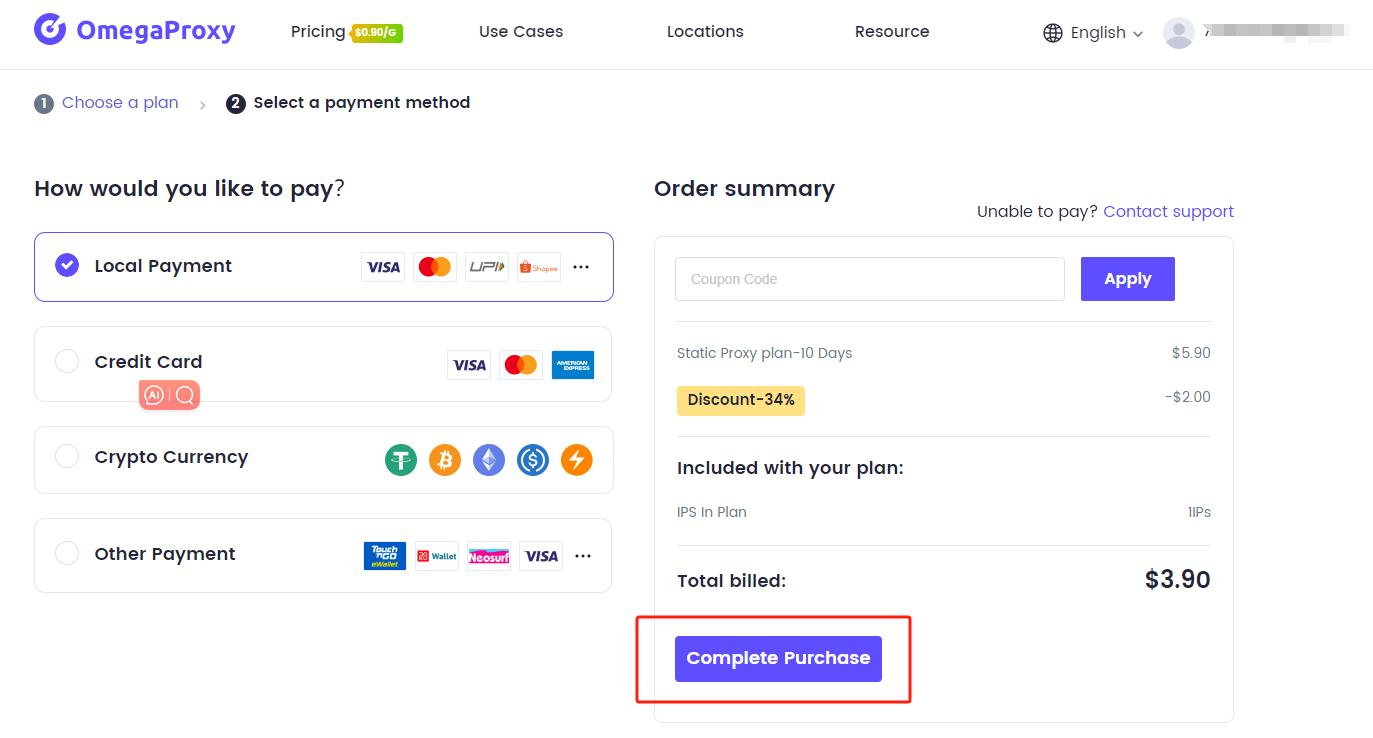
2. Select the appropriate payment method and click "Complete Purchase."
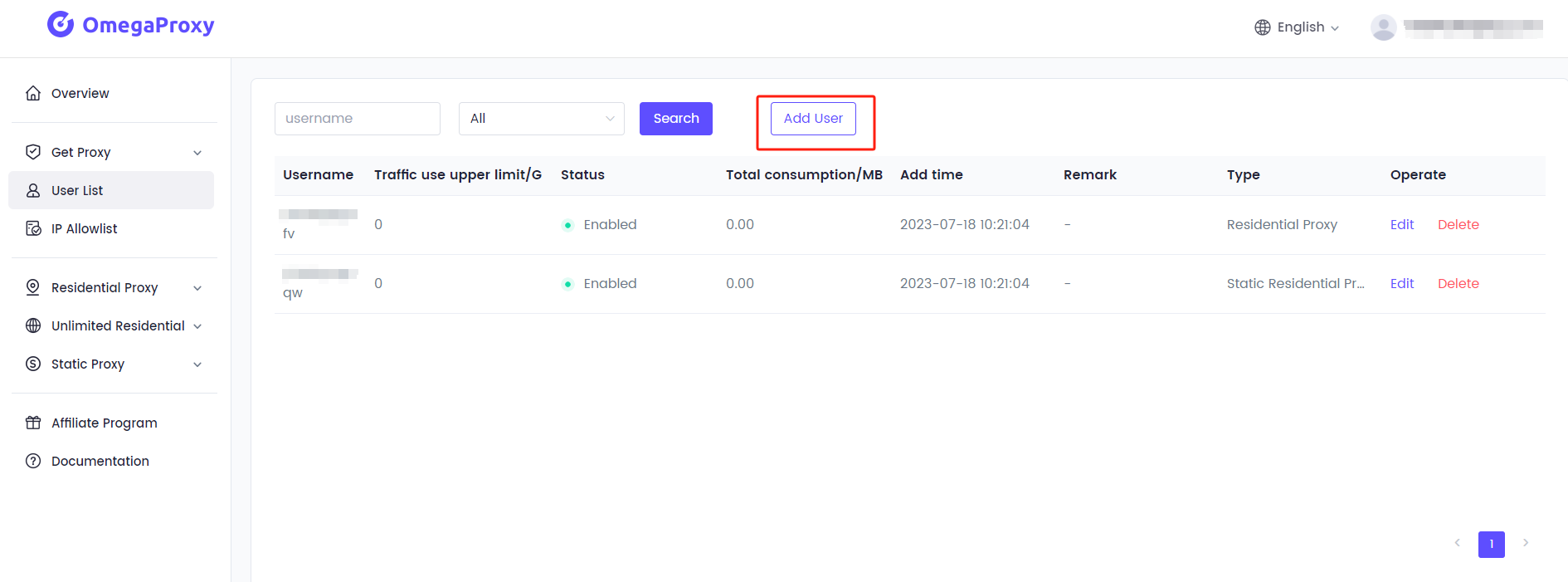
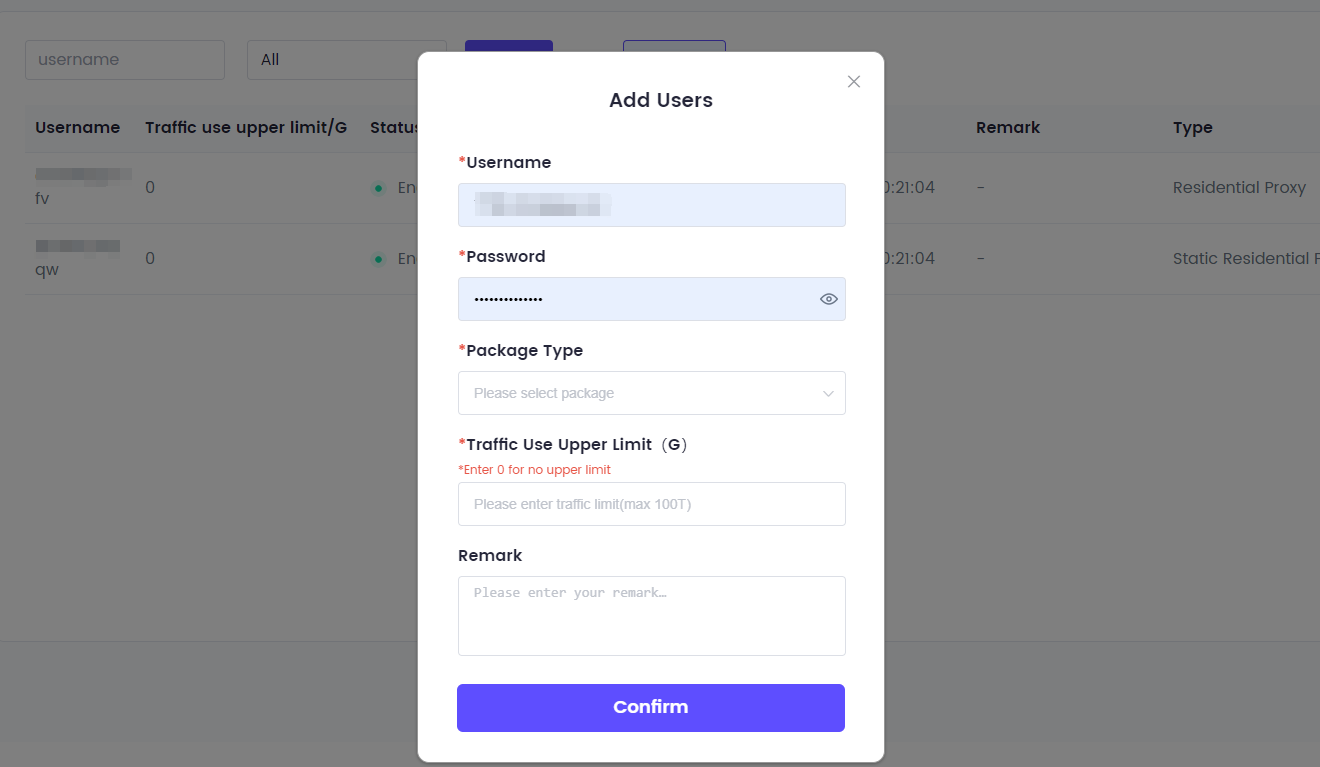
3. Click the “User List” to add a user.
4. Click “User & Pass Auth” and select “Static Residential Proxy.”
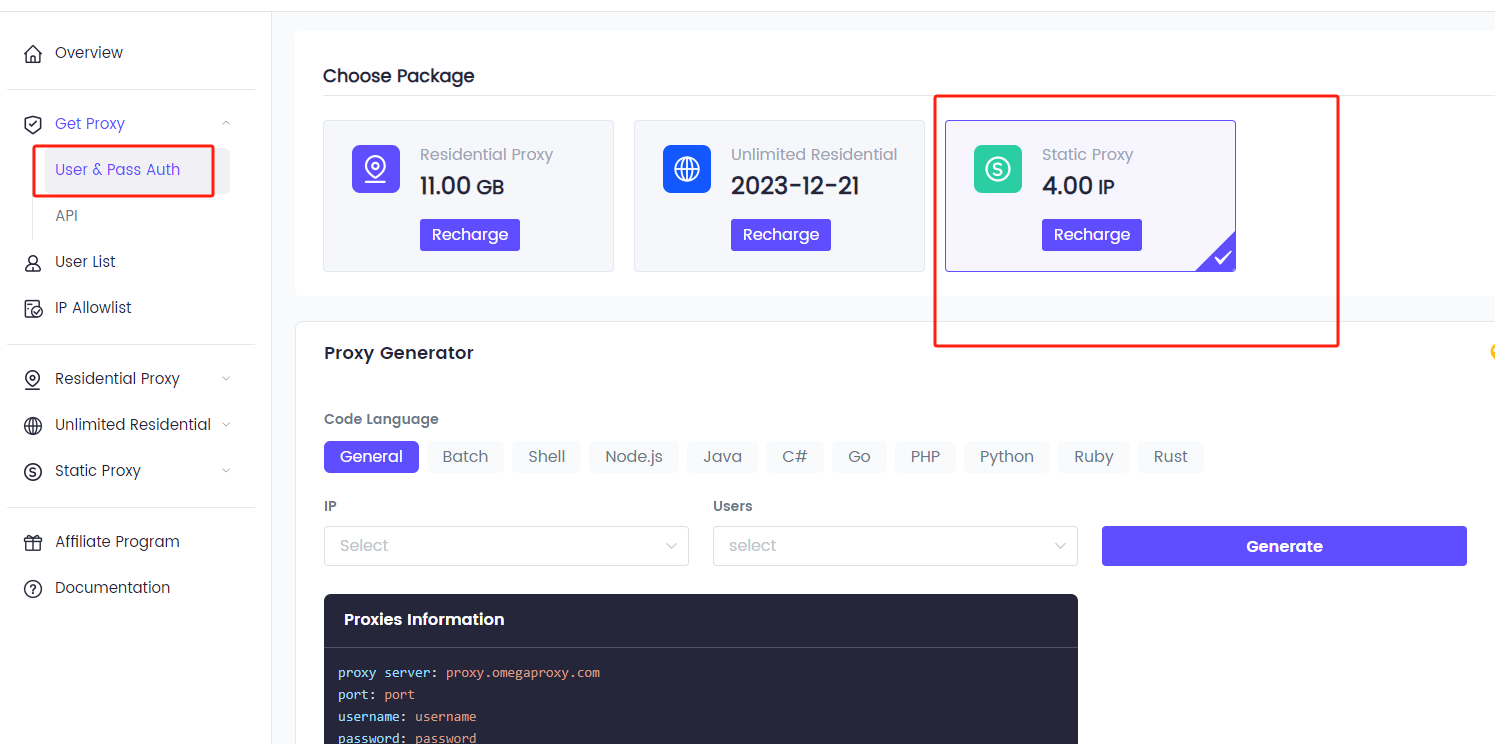
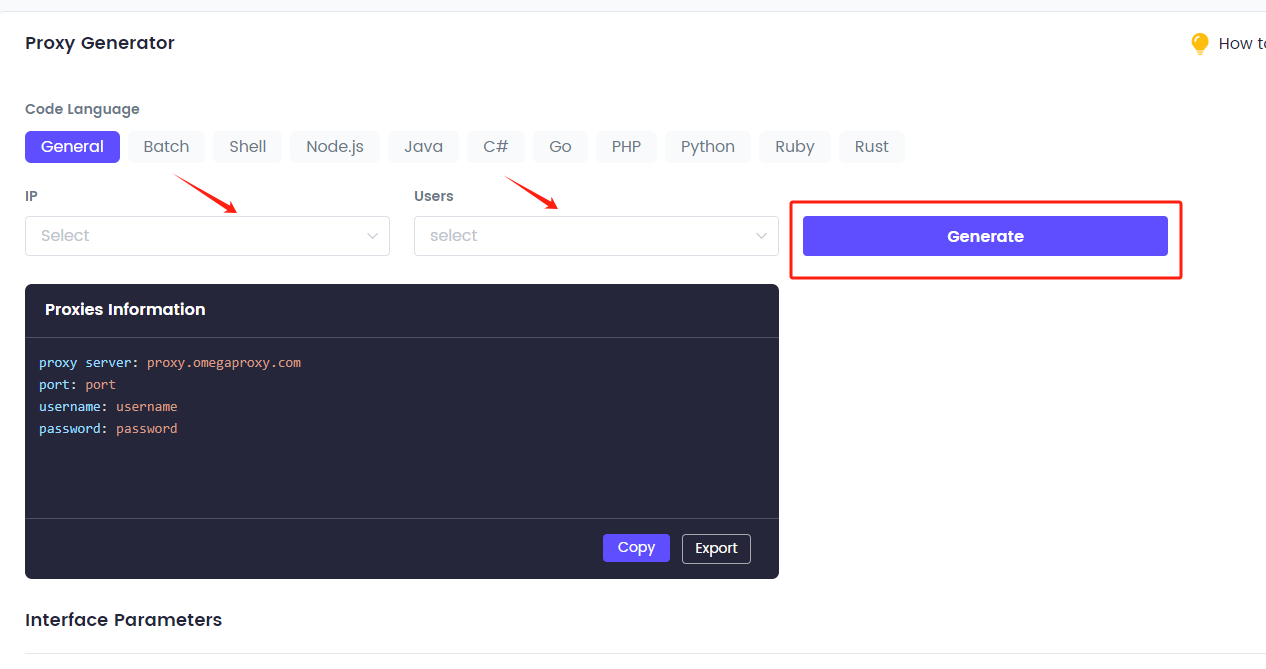
5. Select IP and Users, and Click “Generate.”
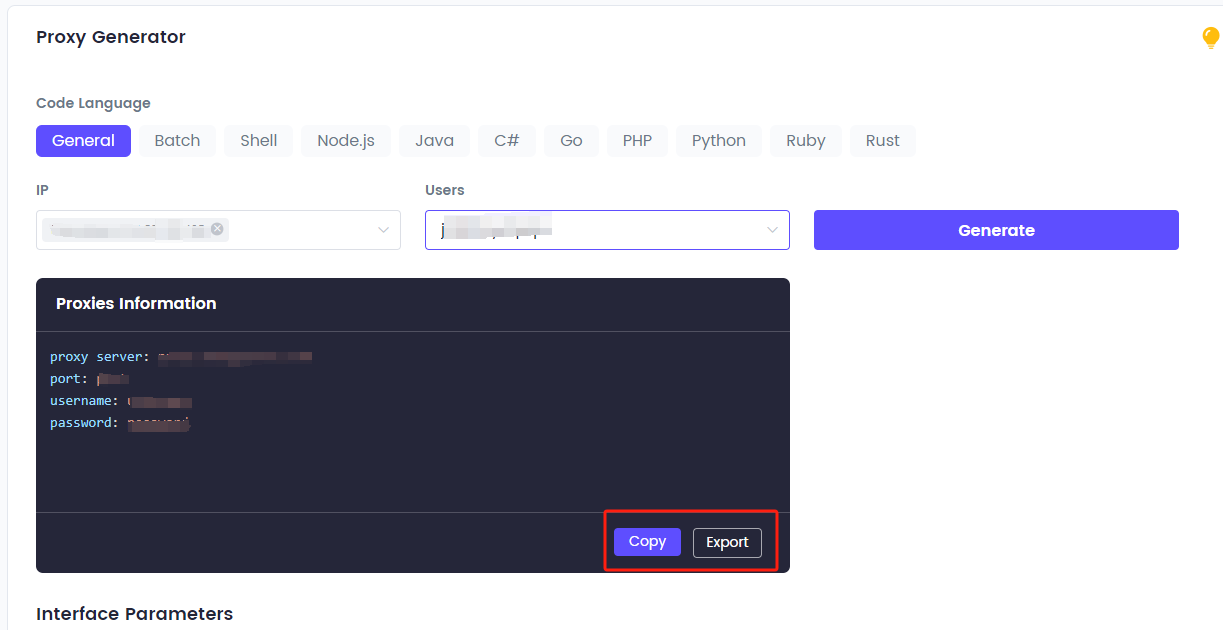
6. Then,you can click “Copy” or “Export.”

One of the best proxies. More than 90 million IPs are active worldwide. Select an IP address from any country or city.





