





Residential Proxy HOT
HOTHumanized crawling, no IP shielding.Enjoy 90M real IPs from 220+ locations
 2025-04-21 17:50:52 updated
 17925 views
 5 min read
Step 1: Obtain the proxy in the Get Proxy of Dashboard and export it (taking Residential Proxies as an example)
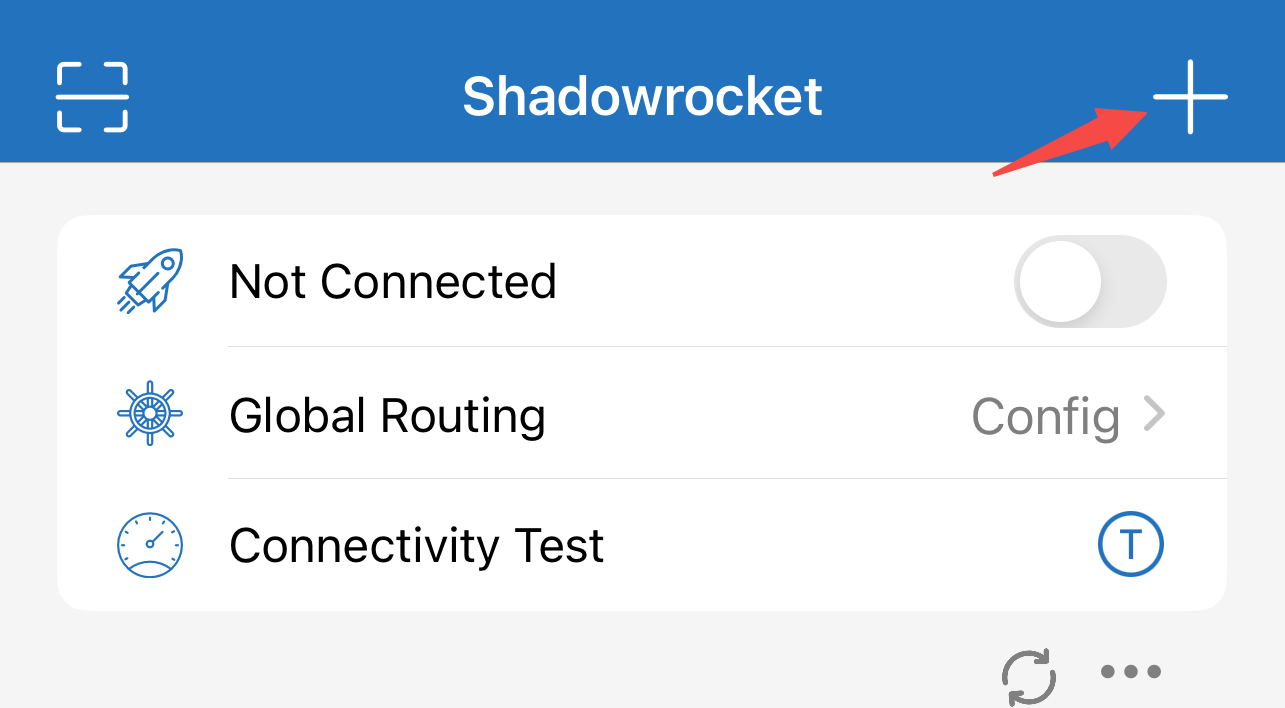
Step 2:Open the Shadowrocket,click the ‘+’ to add a new server.
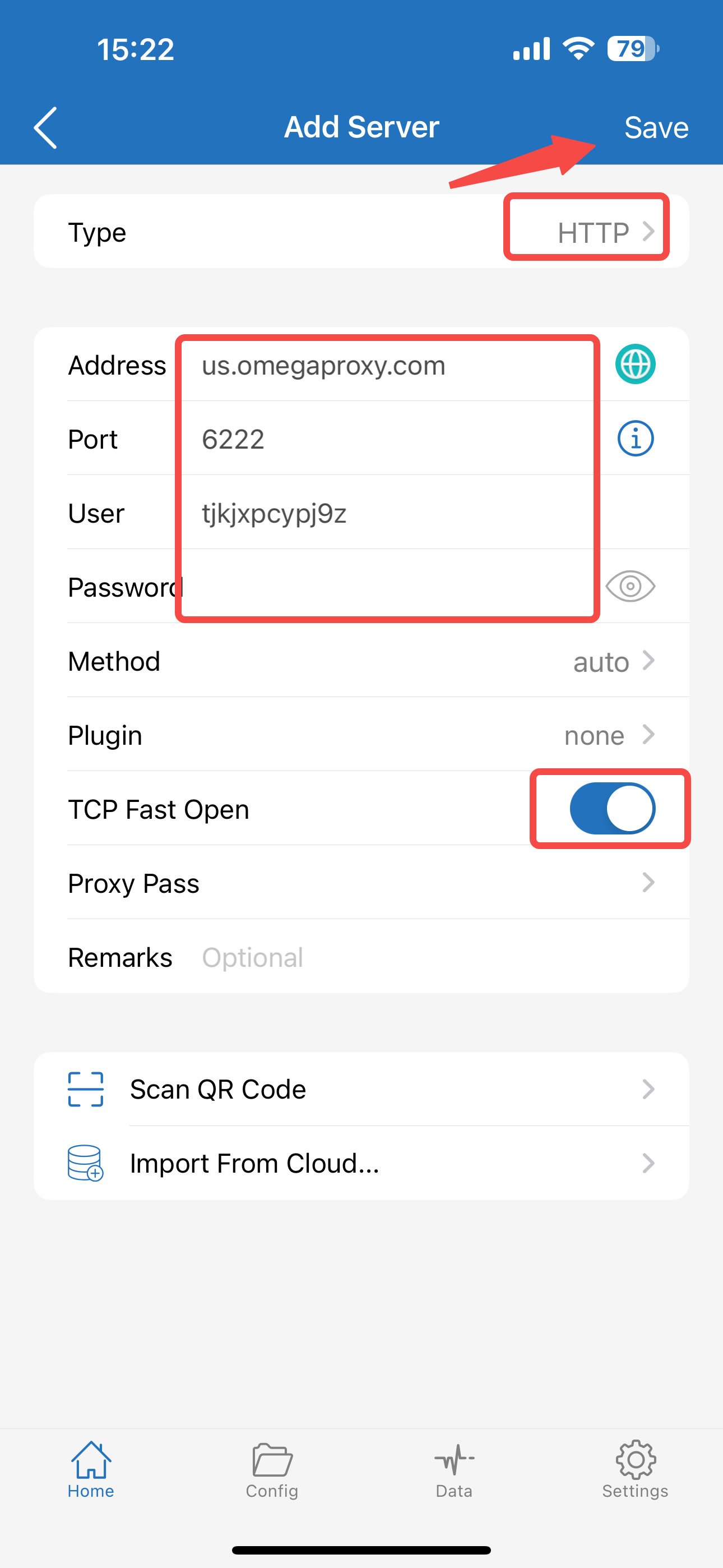
Step 3:Select HTTP or Socks5 as the proxy type,enter the obtained proxy information in,click save.
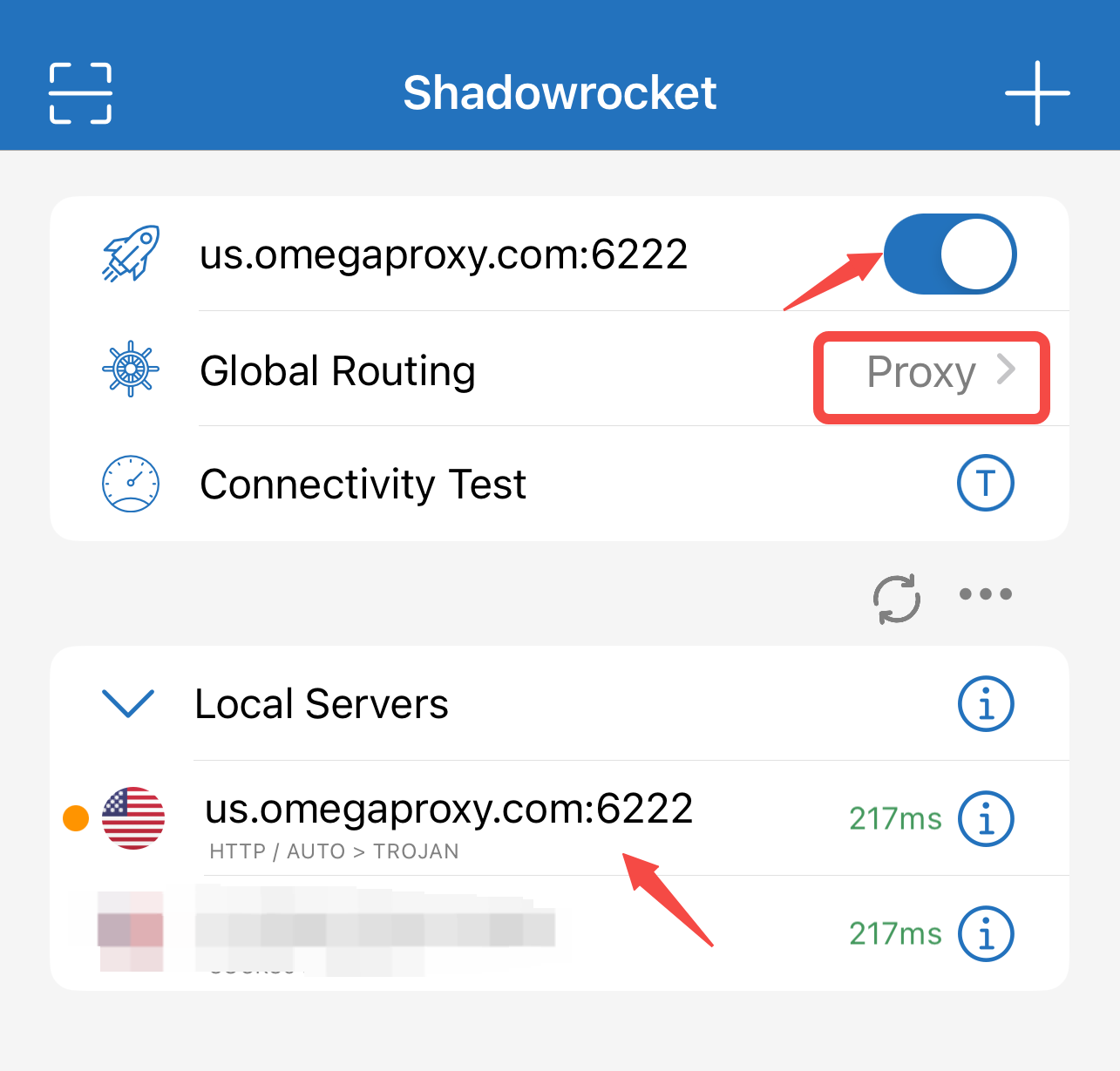
Step 4:Back to the previous screen,click the new server you created,open the proxy.
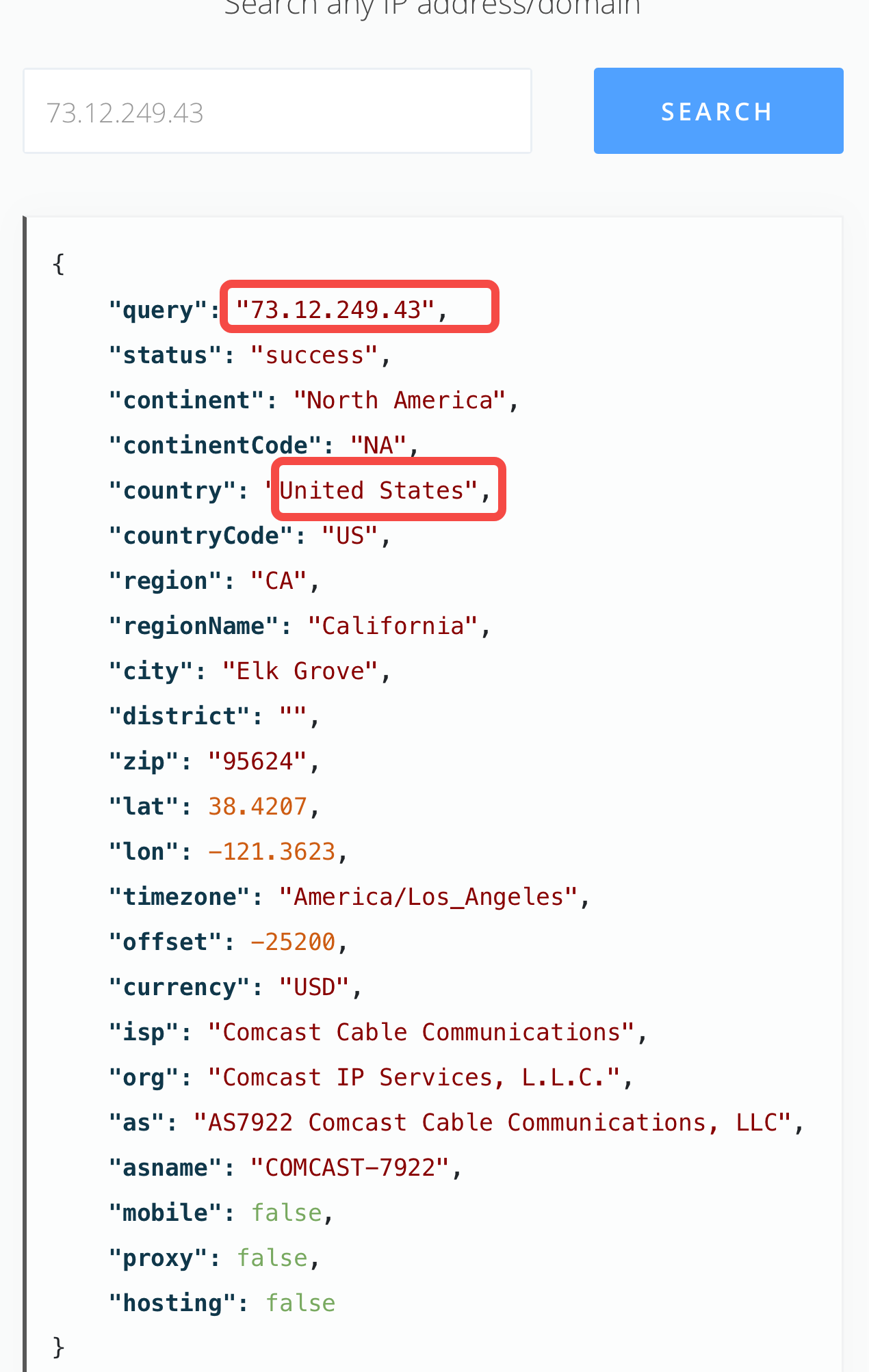
Step 5:Open the safari of your iphone,browse ip-api.com. If the local IP changes, it means the configuration is successful.
Collect Web Data Easily with OmegaProxy Residential Proxies

One of the best proxies. More than 90 million IPs are active worldwide. Select an IP address from any country or city.





